Ask Altarflow
Ask Altarflow, the AI assistant for church finances: Ask, and you shall receive the number.
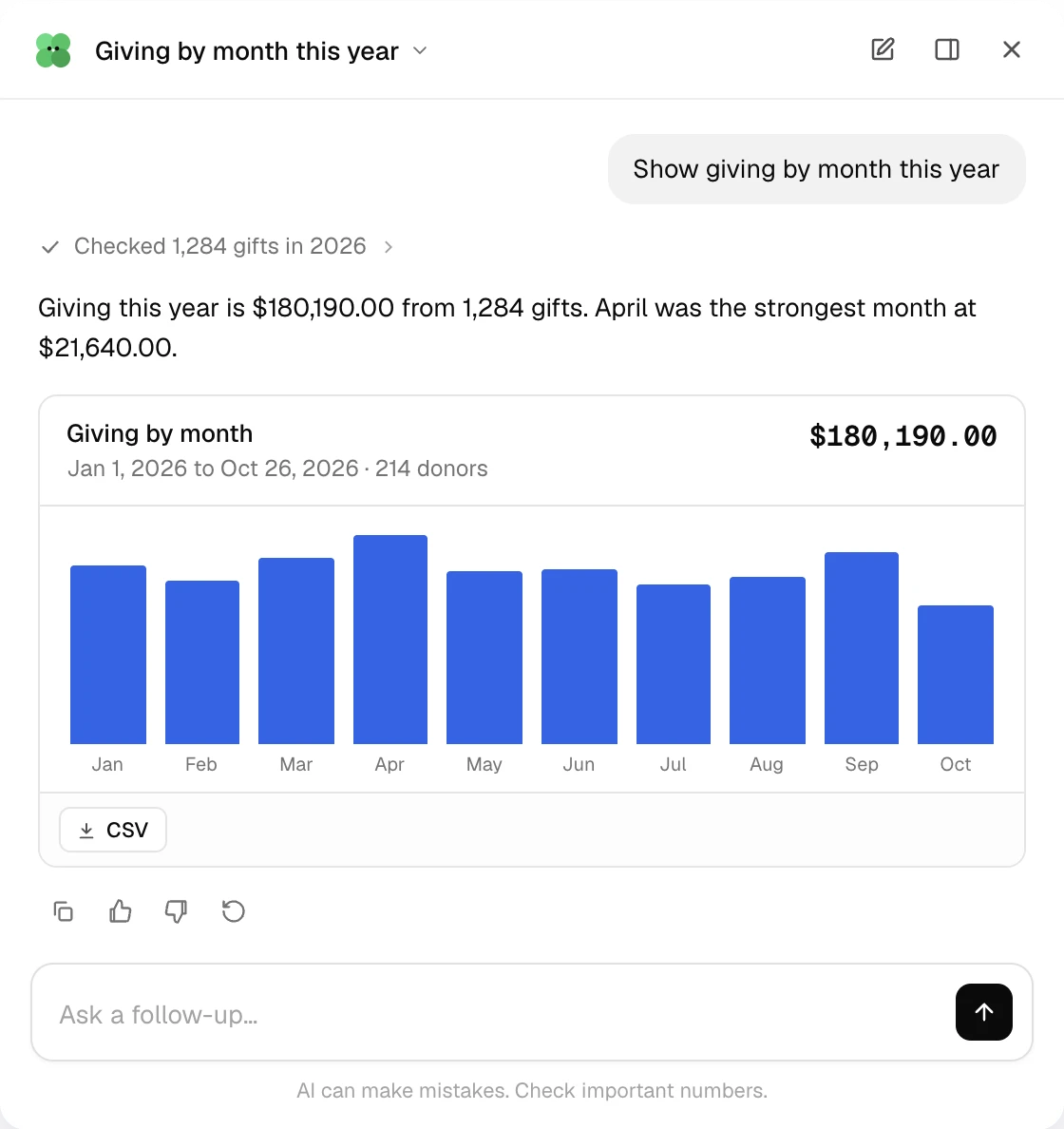
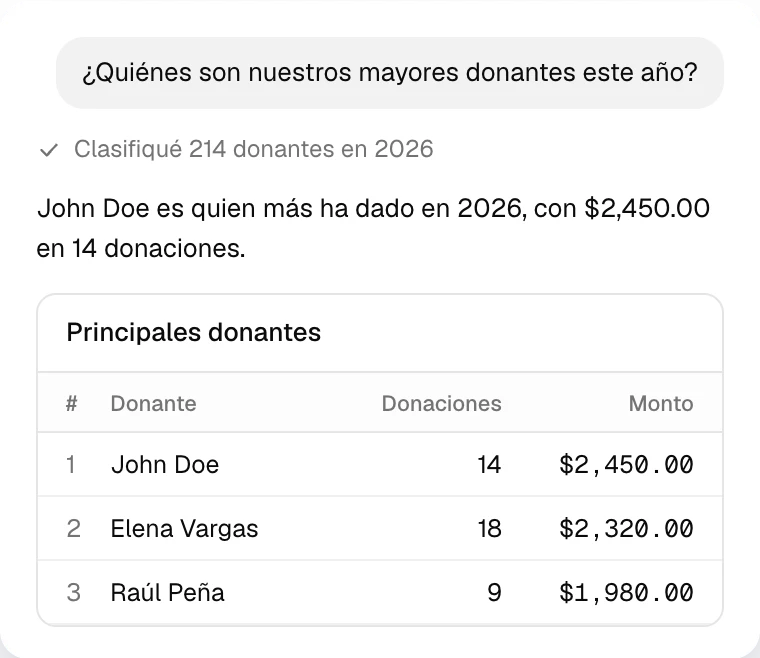
Ask about giving, donors and expenses in English or Spanish. Answers come from your records. Next, it does the work.
Before and after
What asking takes off your plate.
| The old way | With Altarflow |
|---|---|
| 01The old way: Opening three pages to answer one board question | With Altarflow: Ask in a sentence. Get the number and the table behind it |
| 02The old way: Adding up a donor’s year by hand when they call | With Altarflow: Every gift, date and fund for that donor in one answer |
| 03The old way: Exporting gifts to a spreadsheet to find your top givers | With Altarflow: A ranked list for any period, ready to export |
| 04The old way: Rebuilding last month’s statement for the board | With Altarflow: Ask for it, then save it to Reports |
Sources
Every answer shows its work.
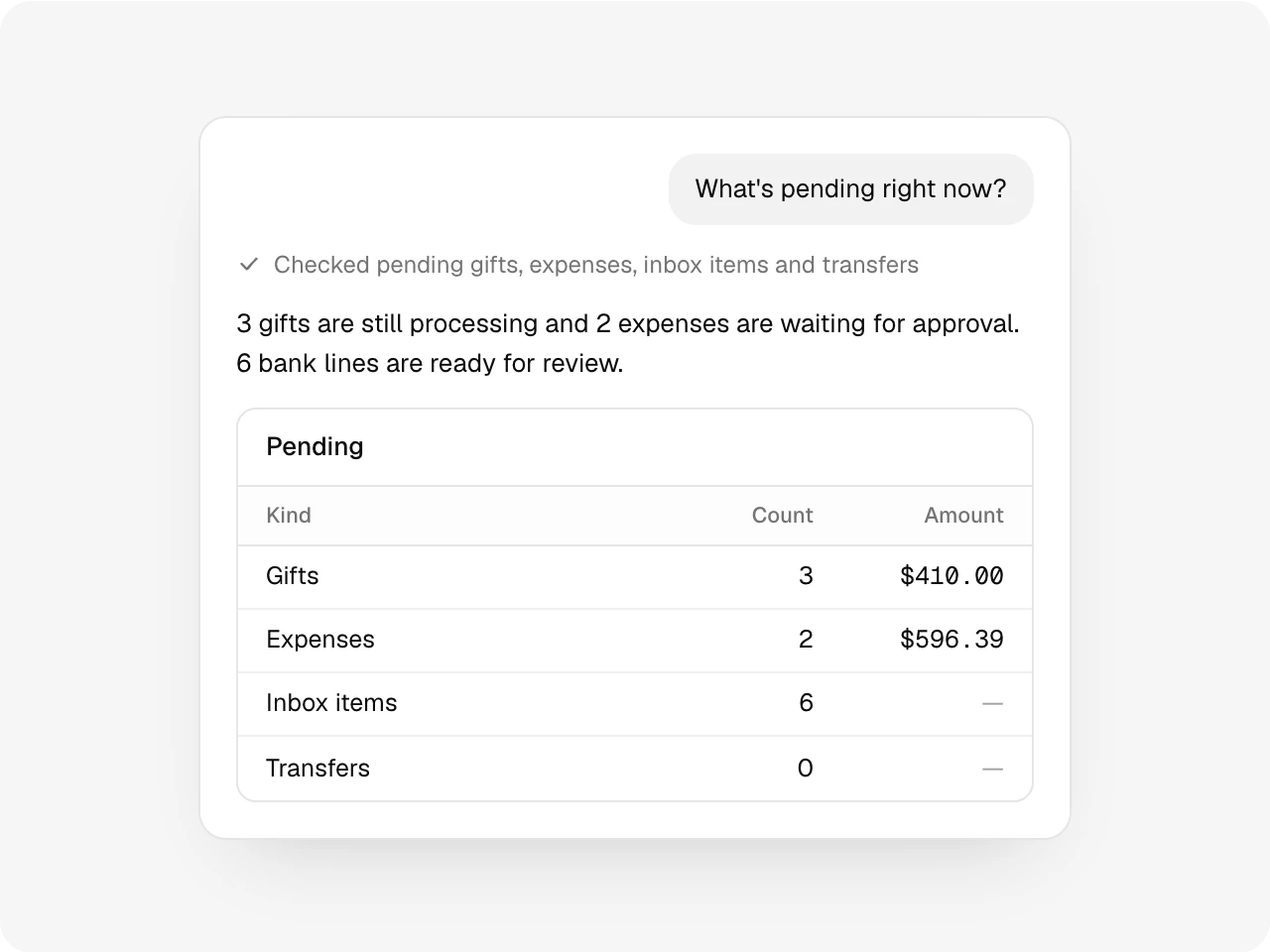
Numbers come from your records, read by the same tools your pages use. A line under each answer says what it checked. Every table exports to CSV.
Donors and campaigns
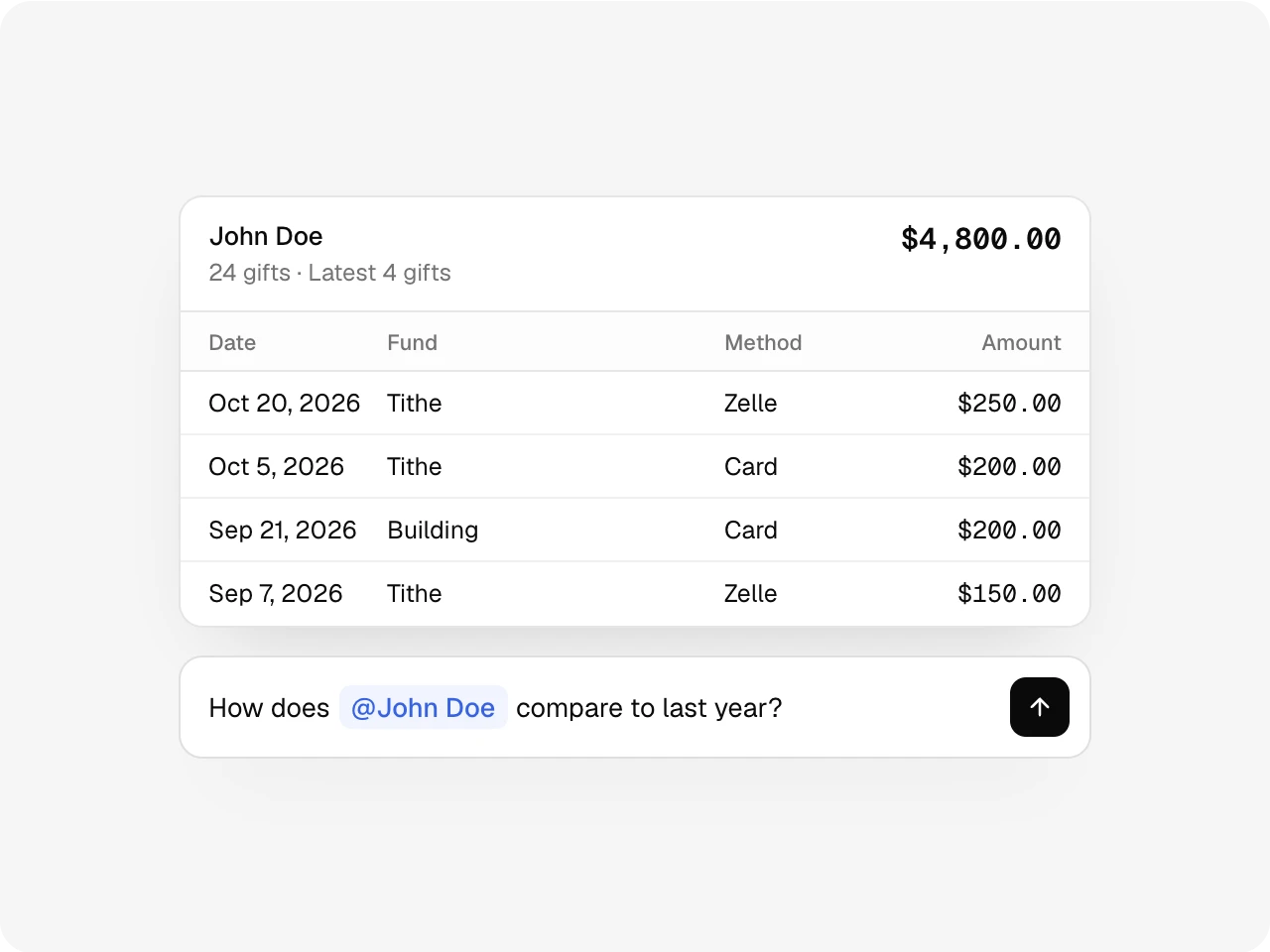
Type @ and name who you mean.
Pick a donor or a campaign as you type. Ask what they gave this year, how it compares to last year, or how close a campaign is to its goal.
Reports
The board report, one question away.
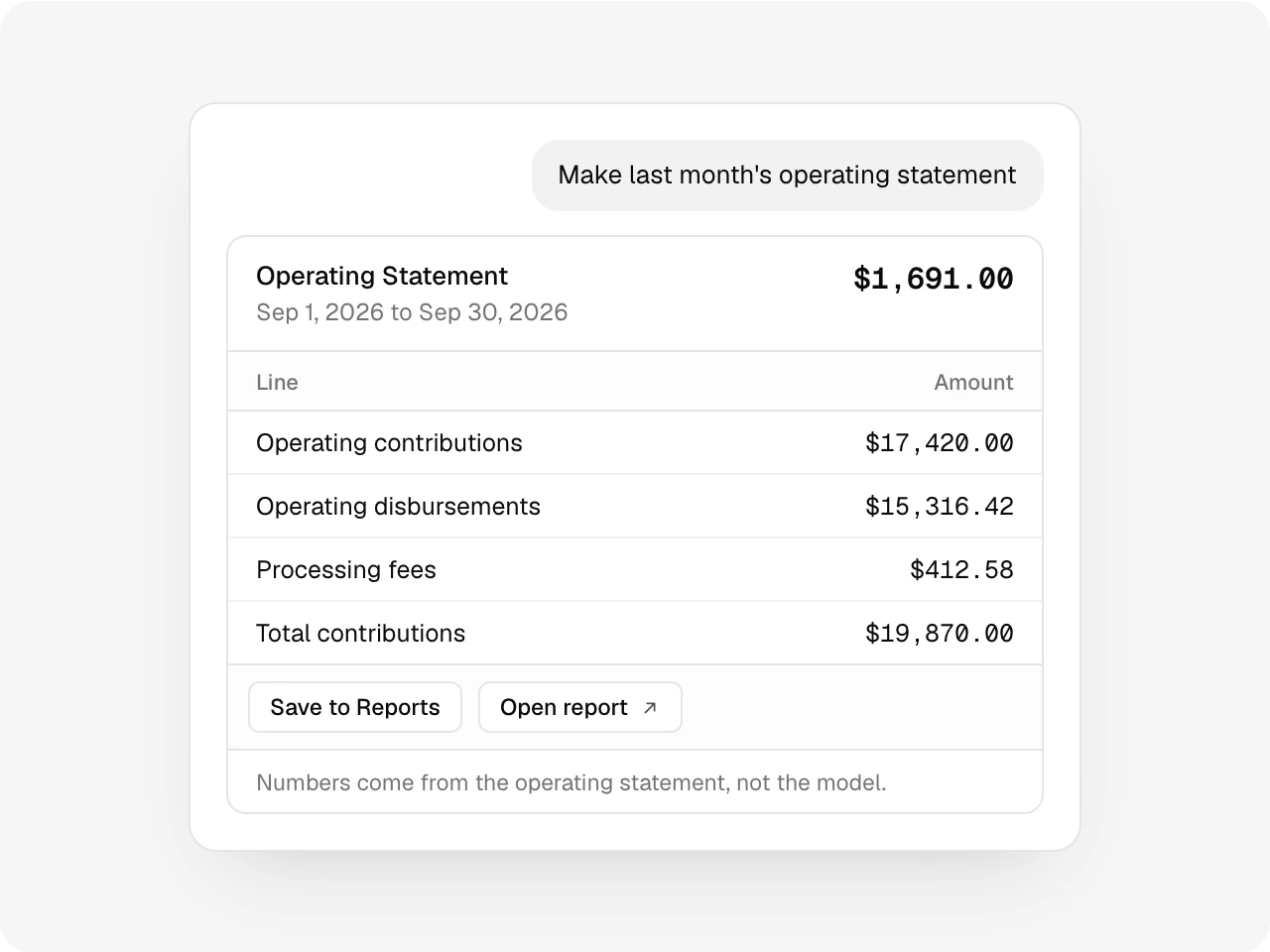
Ask for last month’s operating statement, donations, expenses or payouts. The headline lines come back with a link to the full report and a button to save it.
Coming next
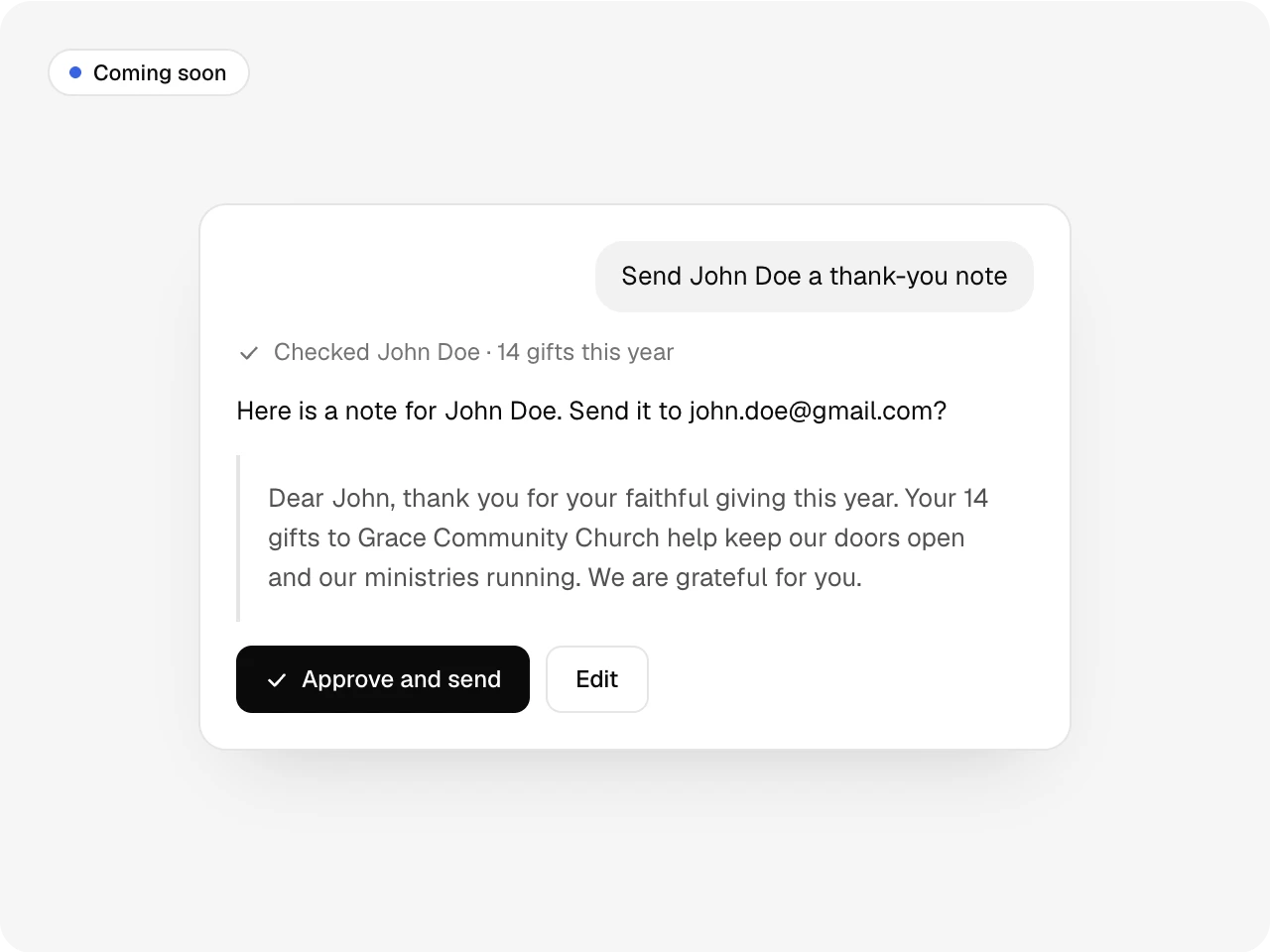
Next, it does the work. You approve it.
Today it reads your records and writes drafts. Next it will send the thank-you note, record the gift and fix the fund, and every step waits for a person to approve it.
Feedback
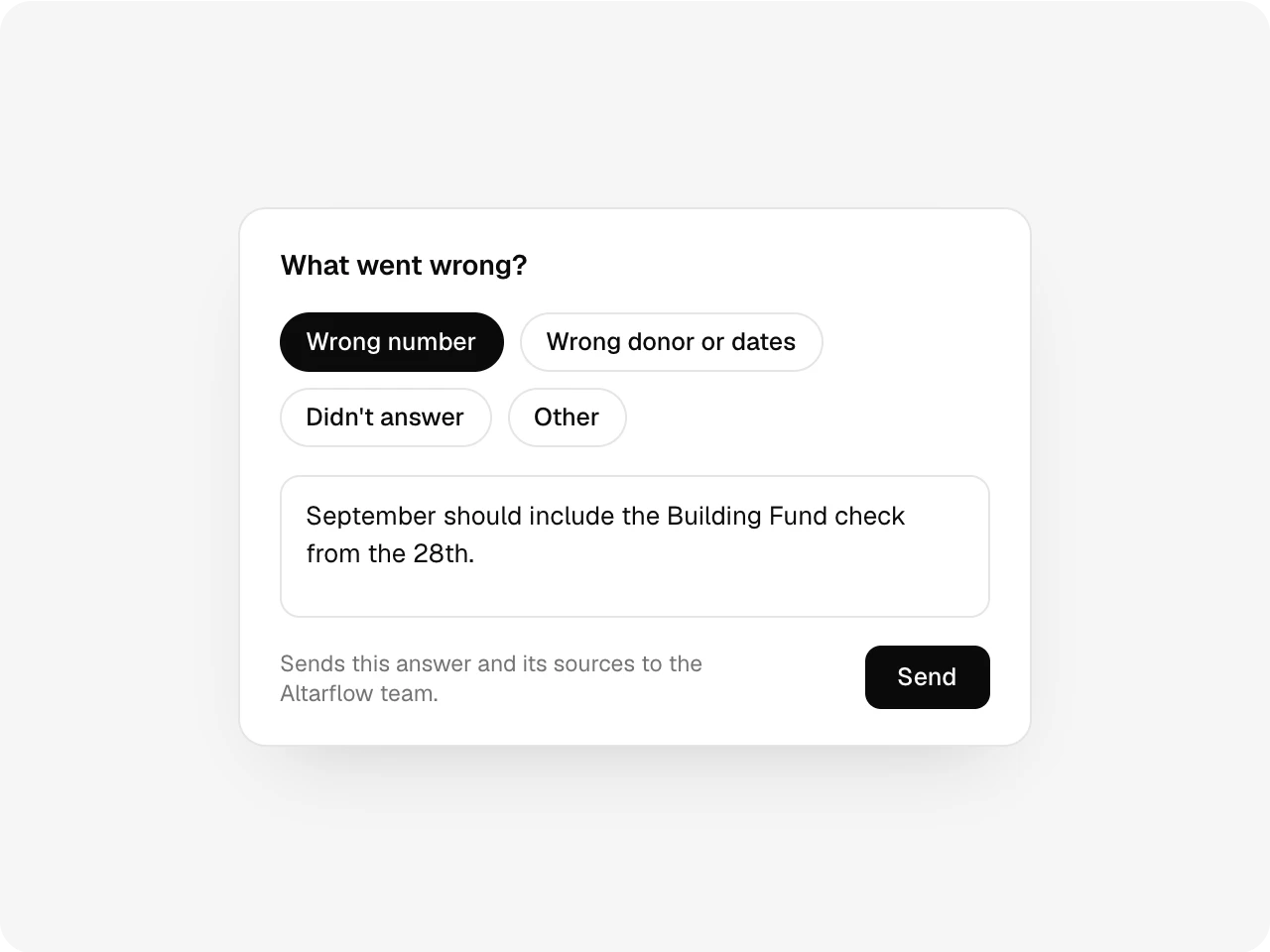
Tell it when it’s wrong.
Thumbs down an answer and pick what went wrong. The answer and its sources go to the Altarflow team, with your note if you add one.
Also included
Chat history you can search, pin and rename, a panel that docks to the side or opens full screen, the ⌘J shortcut, a sheet on your phone, and chats that stay private to each admin.
Plans
Ask Altarflow is on every plan.
Seed
$0
- 10 questions a day for each admin
- Giving, donors and campaigns
- Donations and payouts reports
Grow
$49.99/mo
- 30 questions a day for each admin
- Adds the operating statement and expense reports
Bloom
$99.99/mo
- 100 questions a day for each admin
- Every report Ask can build
The daily limit resets at midnight in your church’s time zone.
What is Ask Altarflow?
Ask Altarflow is an AI assistant inside Altarflow that answers questions about a church's giving, donors, campaigns and expenses in English or Spanish. It reads only that church's records through read-only tools, shows what it checked under each answer, and exports every table to CSV. Today it answers and writes drafts; it does not send or change anything.
Where do the numbers come from?
From your Altarflow records, through read-only tools. It doesn’t add up figures on its own. If something isn’t in what it read, it tells you.
Who can use it?
Church admins, on a computer or a phone. Tablet screens aren’t supported yet. Each admin’s chats are private and are deleted after 12 months without use.
Can it see anything outside our church?
No. Every question runs on your church’s records only. Anonymous gifts count in totals and are never tied to a name.
Does it answer in Spanish?
Yes. It answers in the language on your profile, English or Spanish, even when you ask in the other one.
Ask, and you shall receive the number.
Setup takes one sitting. Hablamos español.