Year-end giving statements for churches: Set it once.
Approve in January.
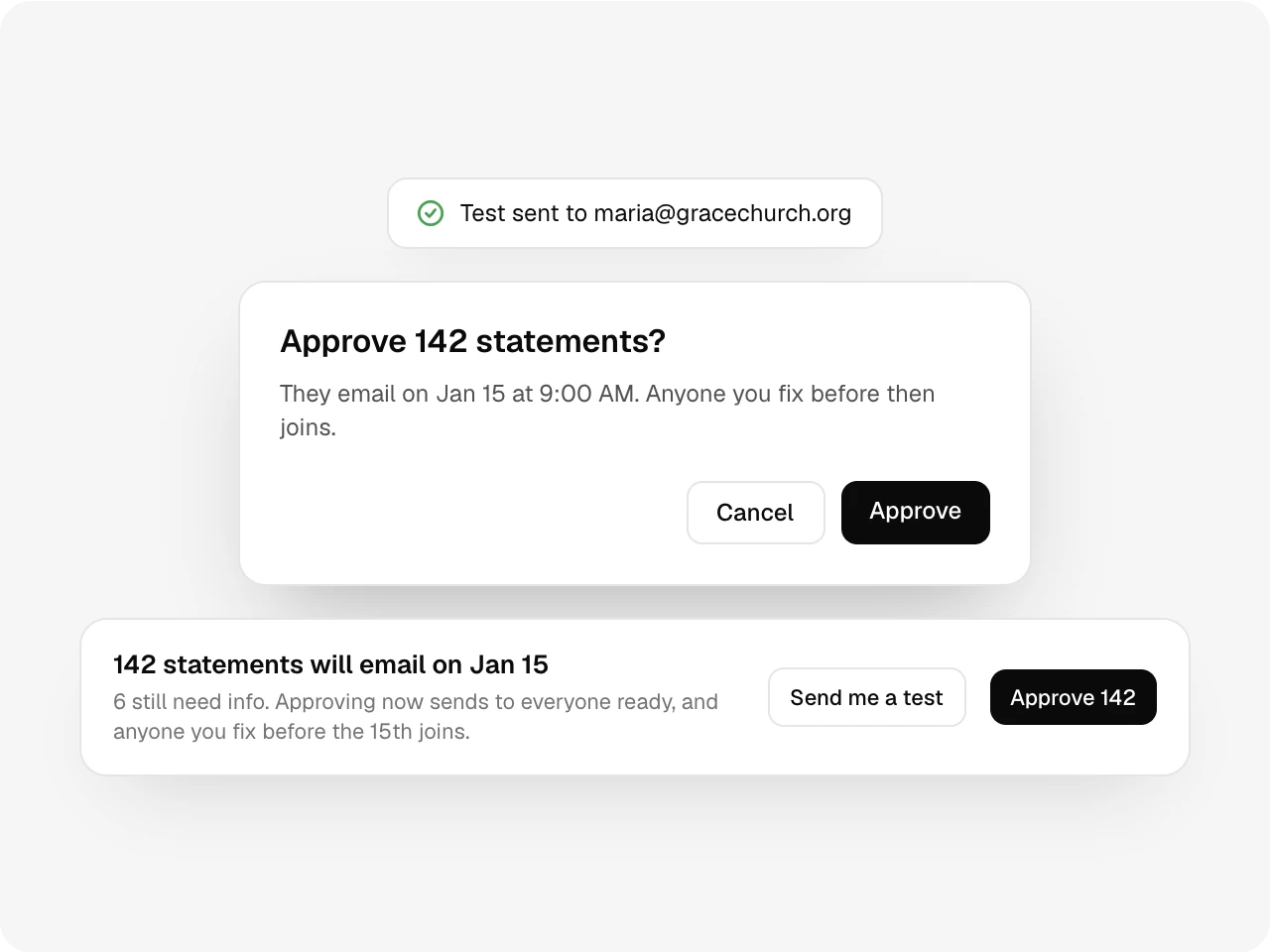
Pick the send day. A week before, you see who gave and who can’t be reached. Nothing goes out until you approve.
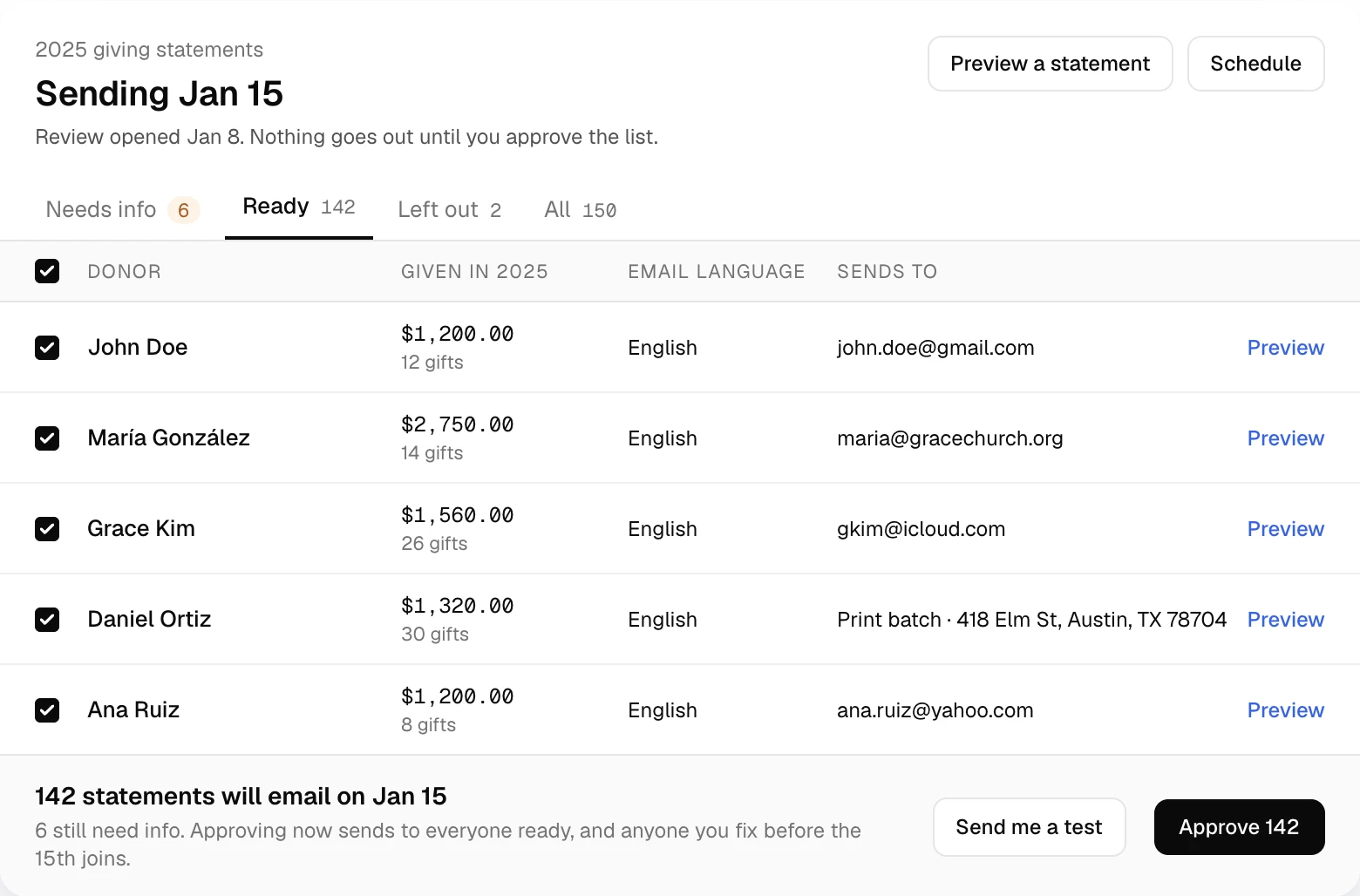
Before and after
No more envelope weekends.
| The old way | With Altarflow |
|---|---|
| 01The old way: A mail merge built from a year of spreadsheets | With Altarflow: Statements build themselves from the year's gifts |
| 02The old way: Cash and checks typed into a separate sheet | With Altarflow: Every recorded gift prints with its method and fund |
| 03The old way: Learning an email was wrong when a donor calls | With Altarflow: Missing and mistyped emails flagged a week ahead |
| 04The old way: No idea who never got theirs | With Altarflow: Each bounce listed with its reason and a resend |
Schedule
Pick the day once.
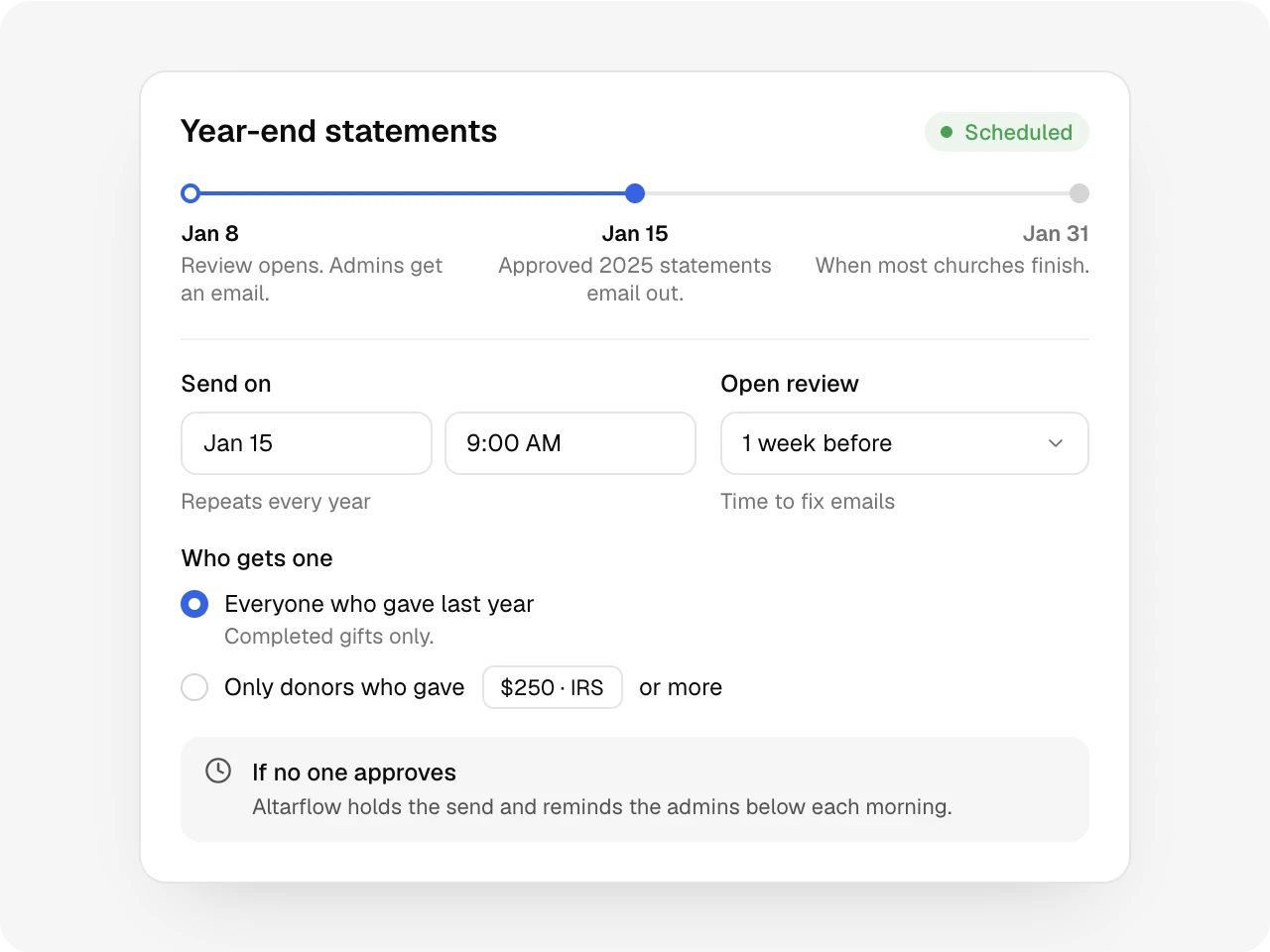
Choose the send date and when review opens. Send to everyone who gave, or only to donors above an amount like $250. It repeats every year. If nobody approves, the send waits and admins get a reminder each morning.
Review
Fix the list a week early.
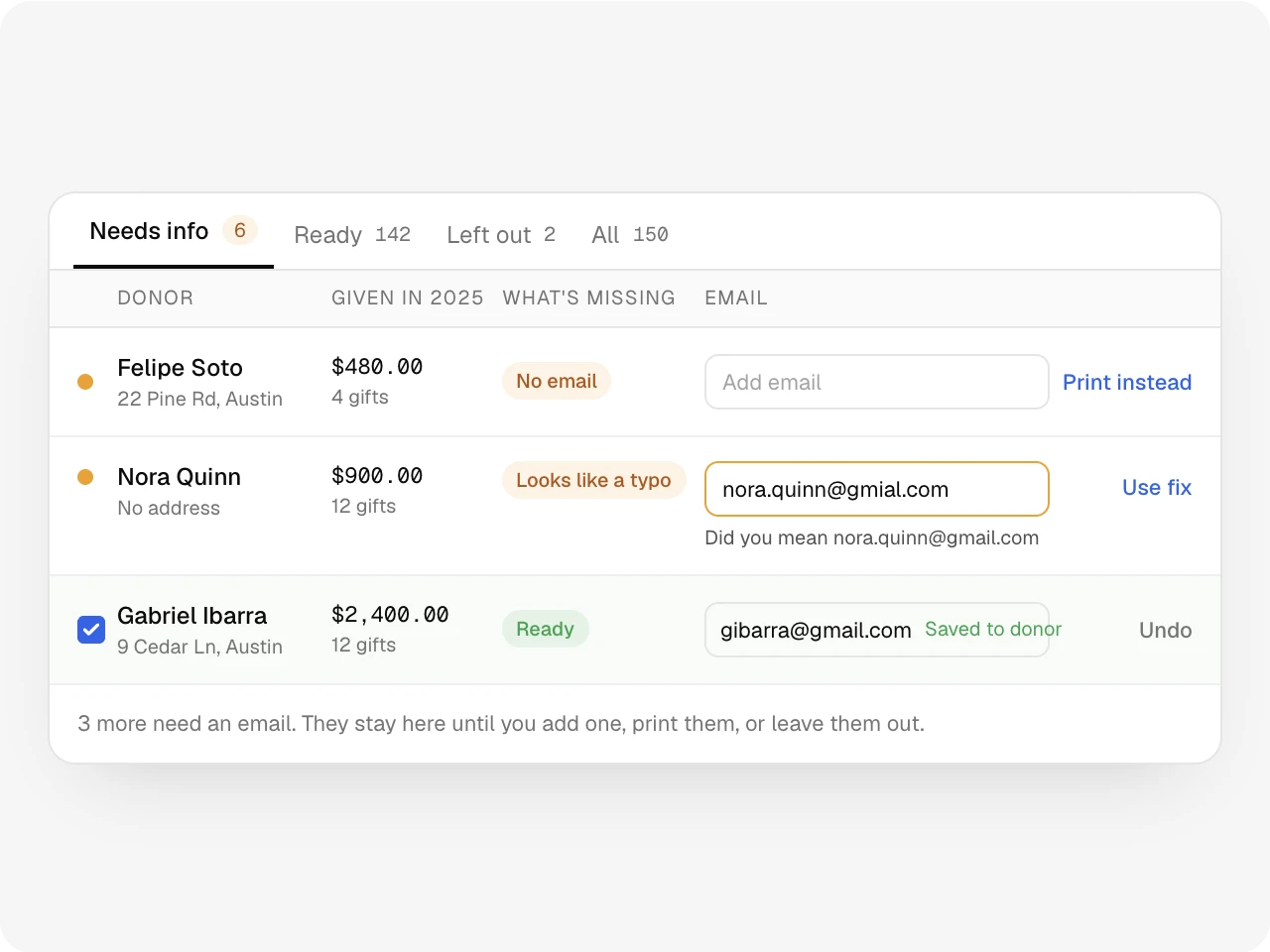
Every donor who gave sits in one list. Missing emails and likely typos rise to the top. Add the email, print a paper copy or leave them out. A fix saves to the donor, so gift receipts use it too.
Approval
Nothing sends without a yes.
A Church Admin approves the whole list with one button. Send yourself a test first. Anyone you fix before the send date still joins the run.
No email? Hand it over on paper.
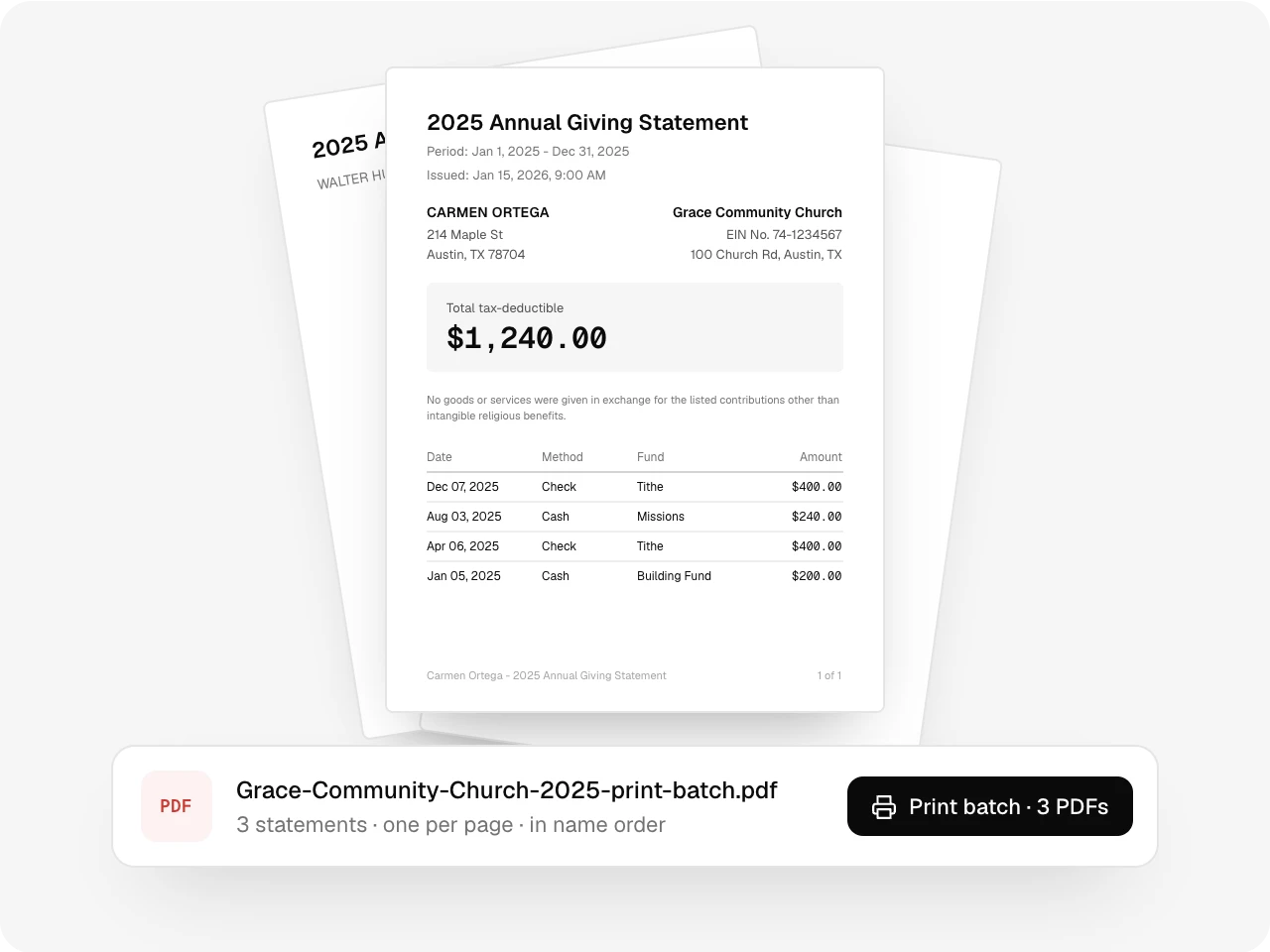
Givers without an email go in the print batch. Download one PDF with each statement on its own page, in name order, ready to mail or hand out on Sunday.
Also included
A statement preview and PDF on every donor page, any year's statement emailed on request, your EIN and address printed on each one, a minimum amount like the $250 IRS line, a test email to yourself, and view-only access for people who don't approve.
One record
Works with the rest of Altarflow.
- Donor CRM
Donor CRM
Each donor page lists their statements by year, ready to preview or email.
- Donor Form
Donor Form
Collect missing addresses and contact details before review opens.
- Online giving
Online giving
Gifts from your giving page are on the statement with no typing.
Plans
Giving statements are on every plan.
Seed
$0
- Everything on this page
- Add donors by hand up to 100
- Online givers are always added
Grow
$49.99/mo
- No donor limit
- Zelle deposits drafted as gifts from your bank feed
Bloom
$99.99/mo
- No donor limit
Each statement prints your church's EIN. Add it once in Settings before review opens.
What is an Altarflow giving statement?
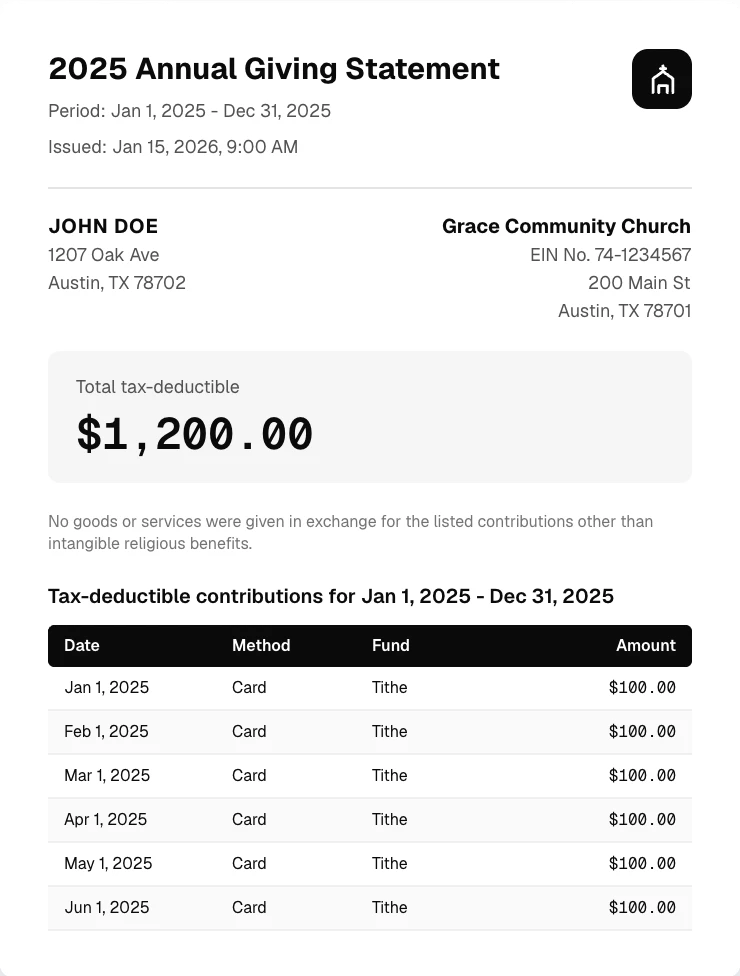
An Altarflow giving statement is a year-end contribution statement a church emails to each donor on a date it picks. It lists the church's name, address and EIN, every gift with date, method and fund, the total tax-deductible amount, and a no-goods-or-services line. Nothing sends until a Church Admin approves, and donors without email get a printable PDF.
Do cash, check and Zelle gifts show up?
Yes. Every completed gift you record prints with its date, method, fund and amount. Card and bank gifts from your giving page are there with no typing.
What if a donor has no email?
Add one during review, or move them to the print batch. You download one PDF with every paper statement and print it yourself. Altarflow does not mail paper.
Can a donor get one before the send date?
Yes. Open the donor, preview the statement for any year they gave, then download the PDF or email it.
What does a statement include?
Your church's name, address and EIN, the donor's name and address, the total tax-deductible amount, each gift, and a line that no goods or services were given in exchange.
Set it once.
Approve in January.
Setup takes one sitting. Hablamos español.