Campaigns for church fundraising: Every gift counts toward the goal.
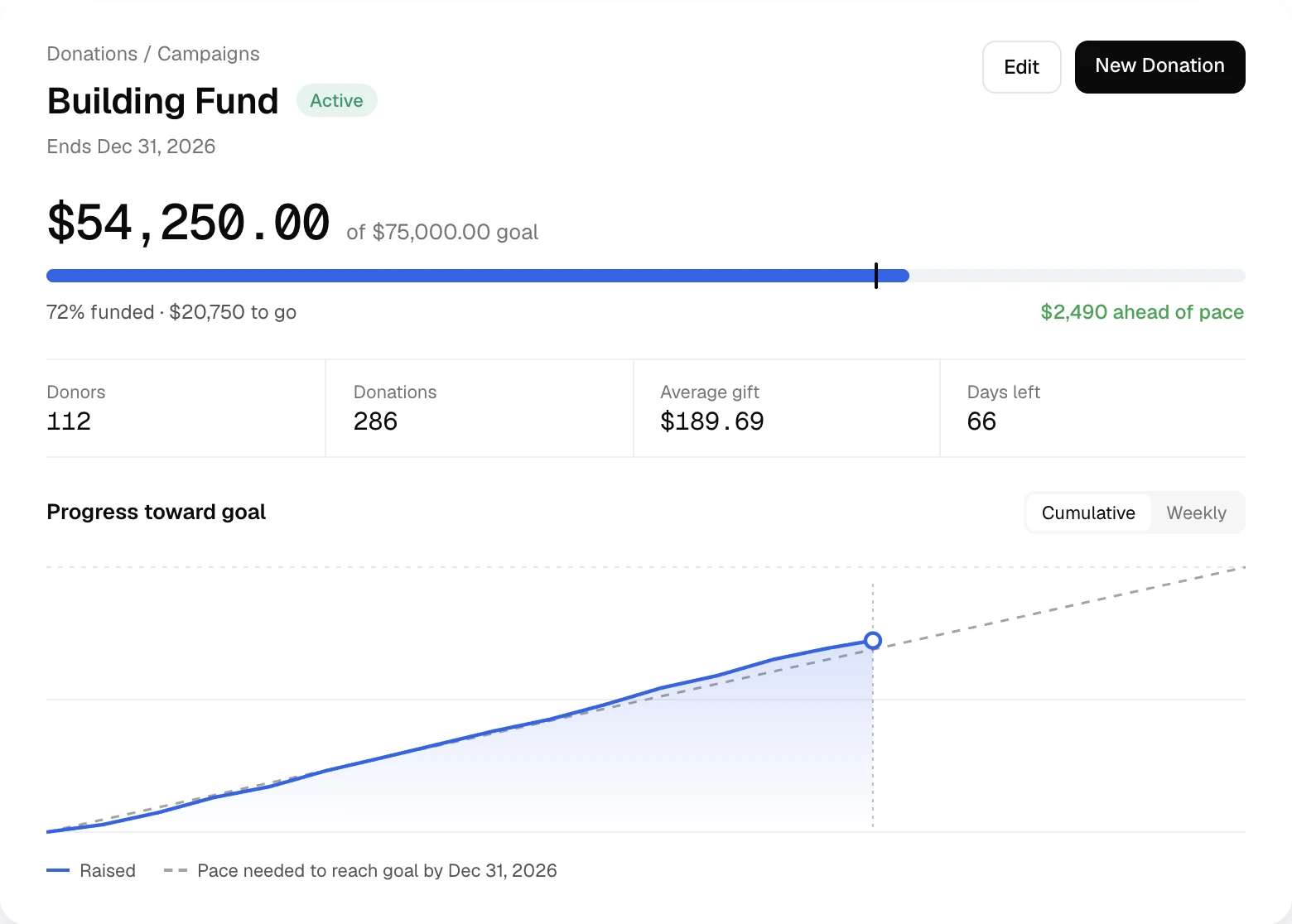
Online gifts, cash, checks and matched bank deposits count toward one total. See who gave and whether you’re on pace.
Before and after
What campaigns take off your plate.
| The old way | With Altarflow |
|---|---|
| 01The old way: A thermometer poster you update by hand | With Altarflow: Progress updates with every gift you record or receive |
| 02The old way: Adding up envelopes marked “building” | With Altarflow: Cash and checks are recorded straight to the campaign |
| 03The old way: Guessing whether you’ll reach the goal in time | With Altarflow: A pace marker shows if you’re ahead or behind today |
| 04The old way: Building a spreadsheet for the board meeting | With Altarflow: Export every gift with its fees and net amount |
Setup
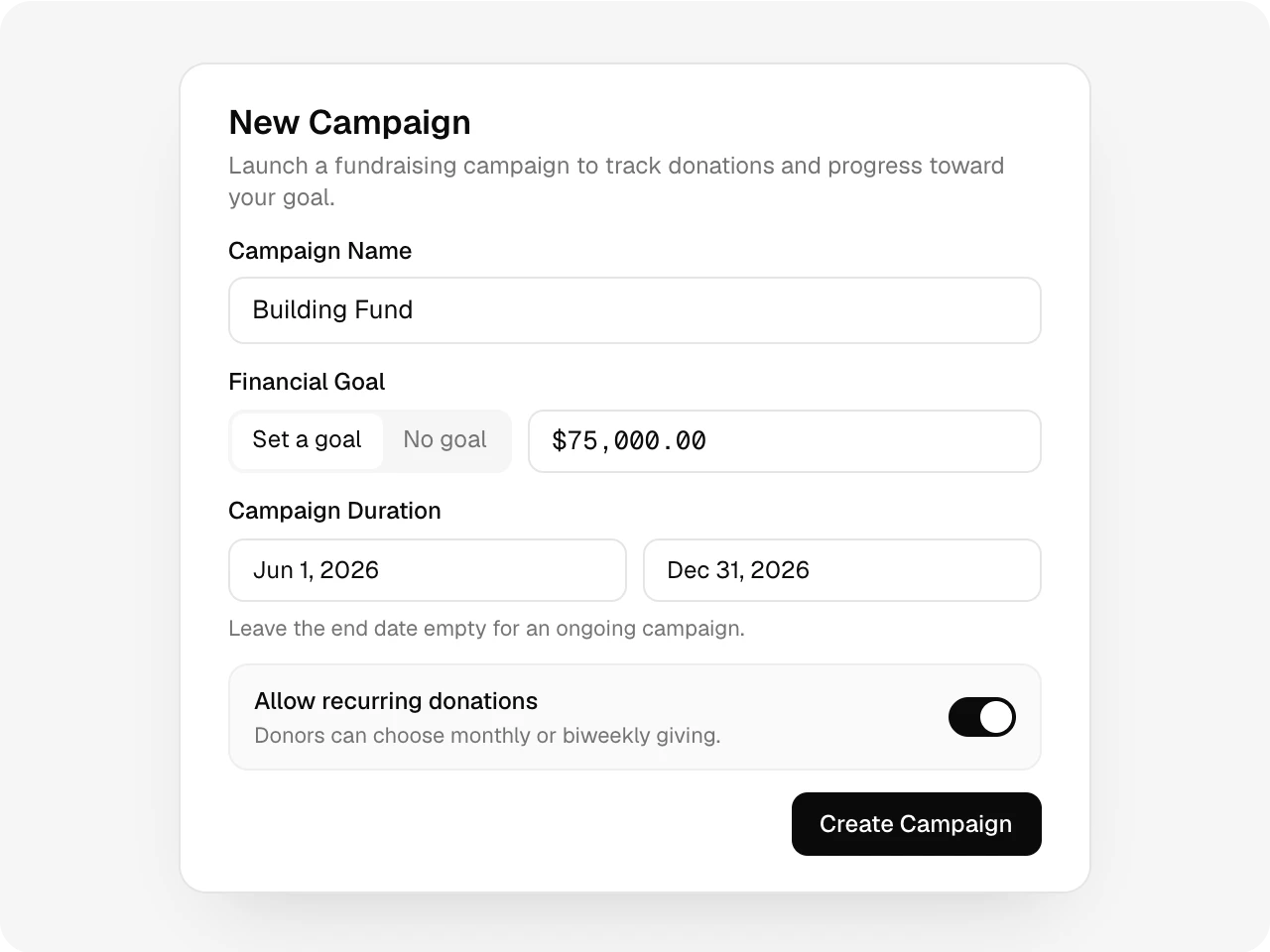
A campaign in one form.
Name it, set a goal if you want one and pick the dates. Leave the end date empty for an ongoing campaign. Turn recurring gifts on or off for each one.
Giving page
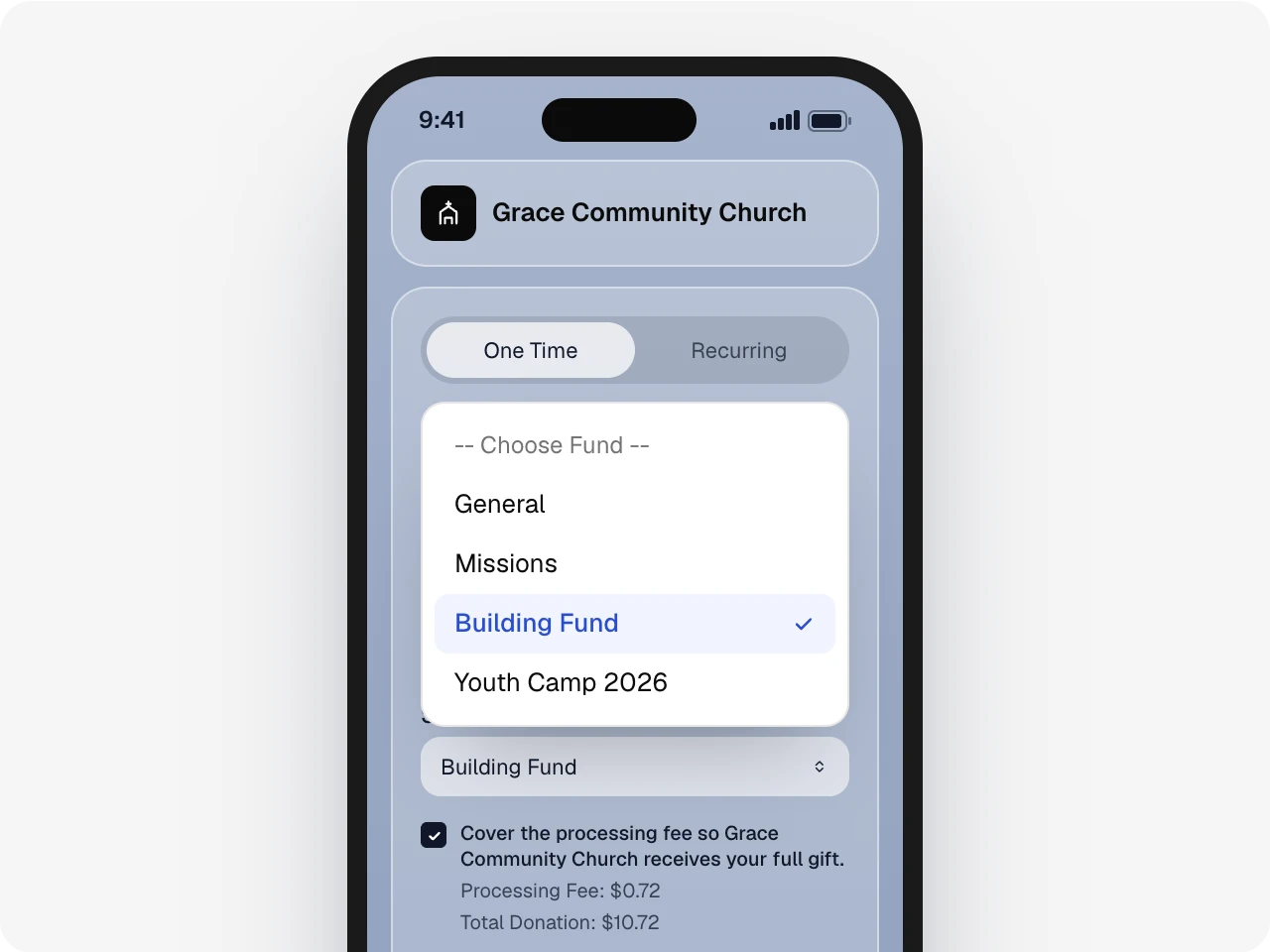
Already on your giving page.
Active campaigns appear in the fund list on your giving page from their start date until they end. There’s nothing new to share.
Every gift counts
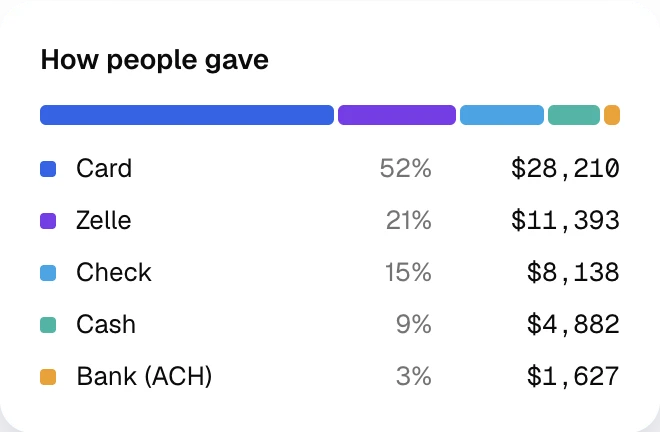
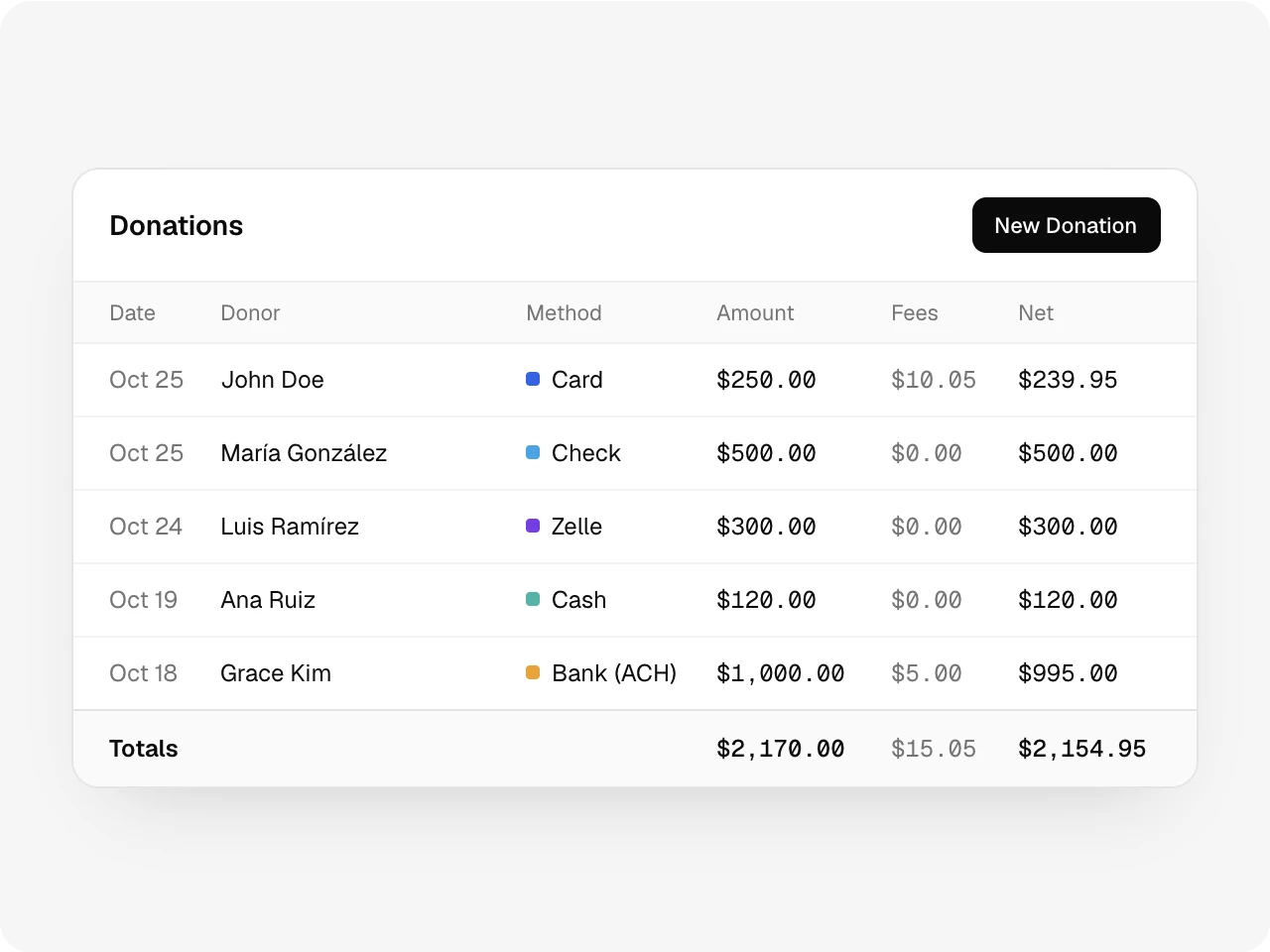
Cash, checks and Zelle count too.
Record cash and checks right from the campaign page. Zelle deposits you approve from your bank feed count toward the goal too, next to every online gift.
Pace
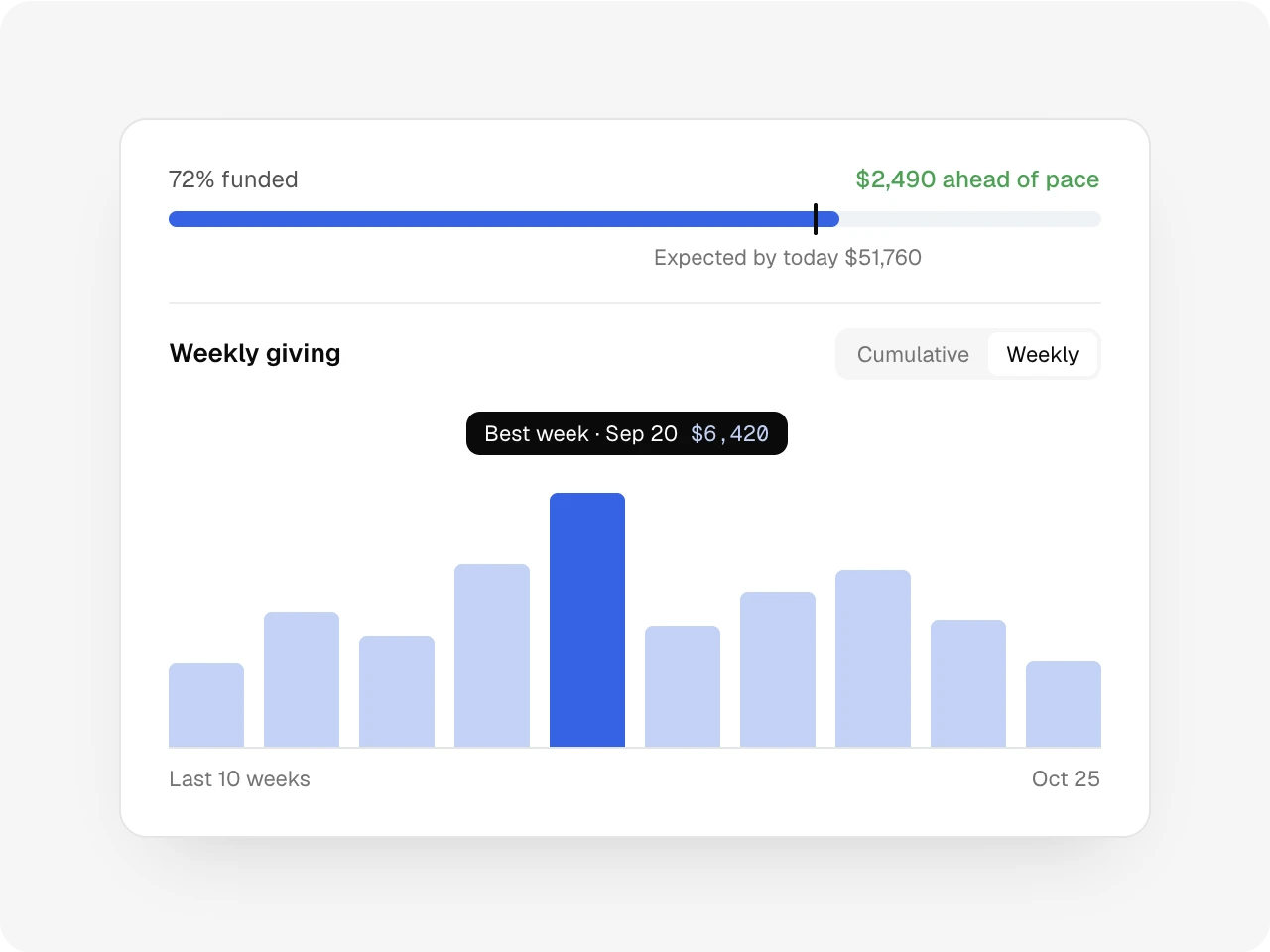
Know if you’re on track before the deadline.
The progress bar marks where you should be by today. The chart draws the pace you need to reach the goal by the end date, with your best week called out.
Donors and details
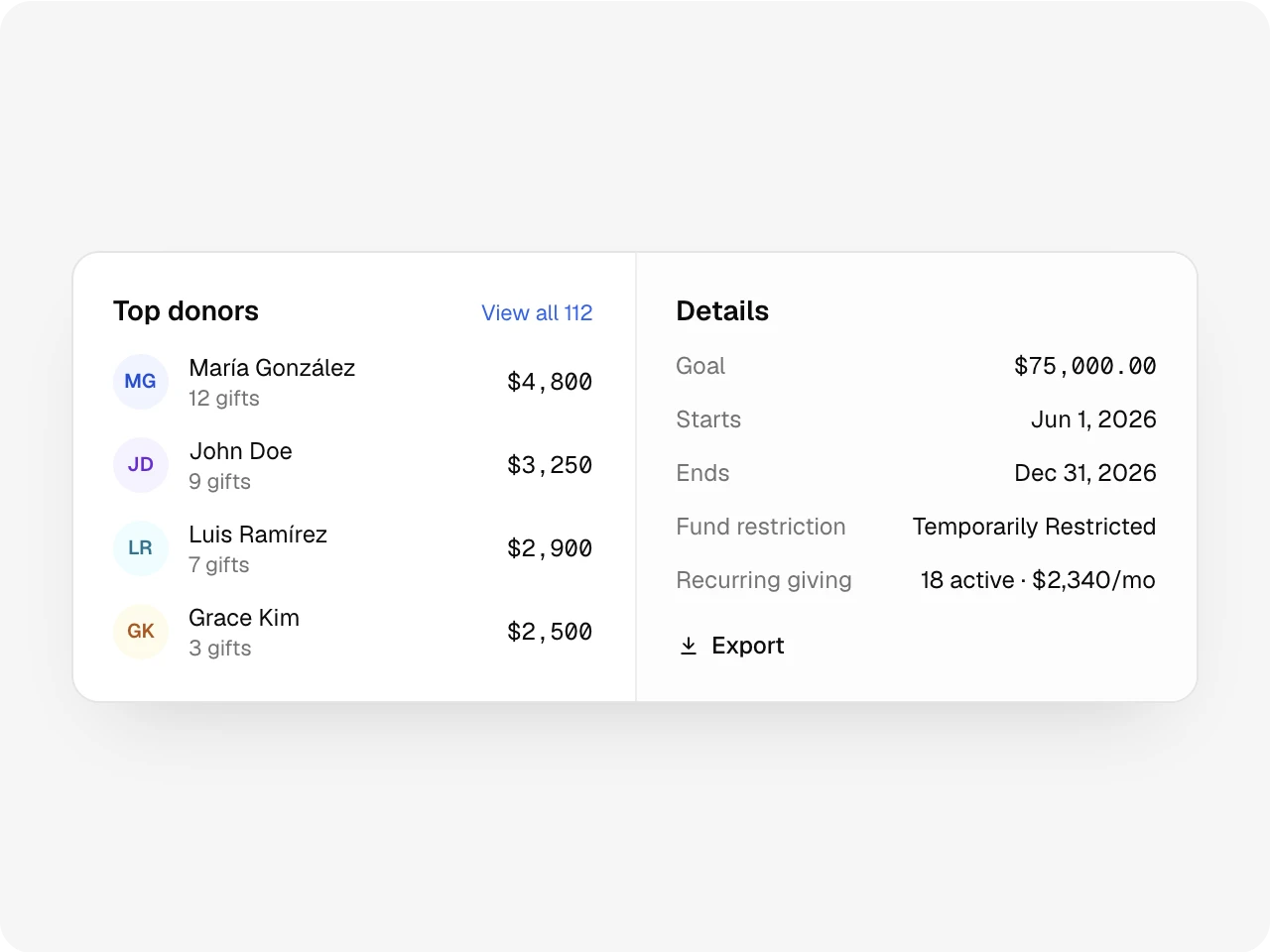
See who carried it.
Top donors, active recurring gifts and the fund restriction live on the campaign page. Export the donations with fees and net amounts for the board.
Also included
As many campaigns as you need on every plan, campaigns with or without a goal, ongoing campaigns with no end date, fund restrictions, and a weekly or monthly giving chart.
One record
Works with the rest of Altarflow.
- Online giving
Online giving
Givers pick the campaign on the same page they already use.
- Donor CRM
Donor CRM
Every campaign gift lands on the giver’s record.
- Transactions
Transactions
Zelle deposits you approve from your bank feed count toward the goal.
Plans
Campaigns are on every plan.
Seed
$0
- Everything on this page
- Card gifts 3.9% + $0.30
- Bank gifts 0.8%, max $5
Grow
$49.99/mo
- Card gifts 3.4% + $0.30
- Zelle deposits drafted as gifts from your bank feed
Bloom
$99.99/mo
- Card gifts 2.9% + $0.30
Processing fees are taken from each gift before it reaches your bank. Donors can choose to cover them.
What are Altarflow campaigns?
Altarflow campaigns track a church fundraising goal, such as a building fund, across every way people give. Online gifts, cash and checks count toward one total, plus Zelle deposits approved from the bank feed on Grow and Bloom. A pace marker shows whether the church is ahead or behind for its end date. Every plan includes unlimited campaigns.
Do cash and check gifts count toward the goal?
Yes. Record them with New Donation on the campaign page, and they count right away.
Can givers see the goal?
Givers see the campaign by name in the fund list. The goal, progress and donors stay on your campaign page for your team.
What happens when a campaign ends?
It leaves your giving page after its end date and shows as Ended. Its gifts stay in your reports.
Is there a limit on campaigns?
No. Every plan includes as many campaigns as you need.
Every gift counts toward the goal.
Setup takes one sitting. Hablamos español.