Team and permissions
Church team roles and permissions: Many hands, one ledger.
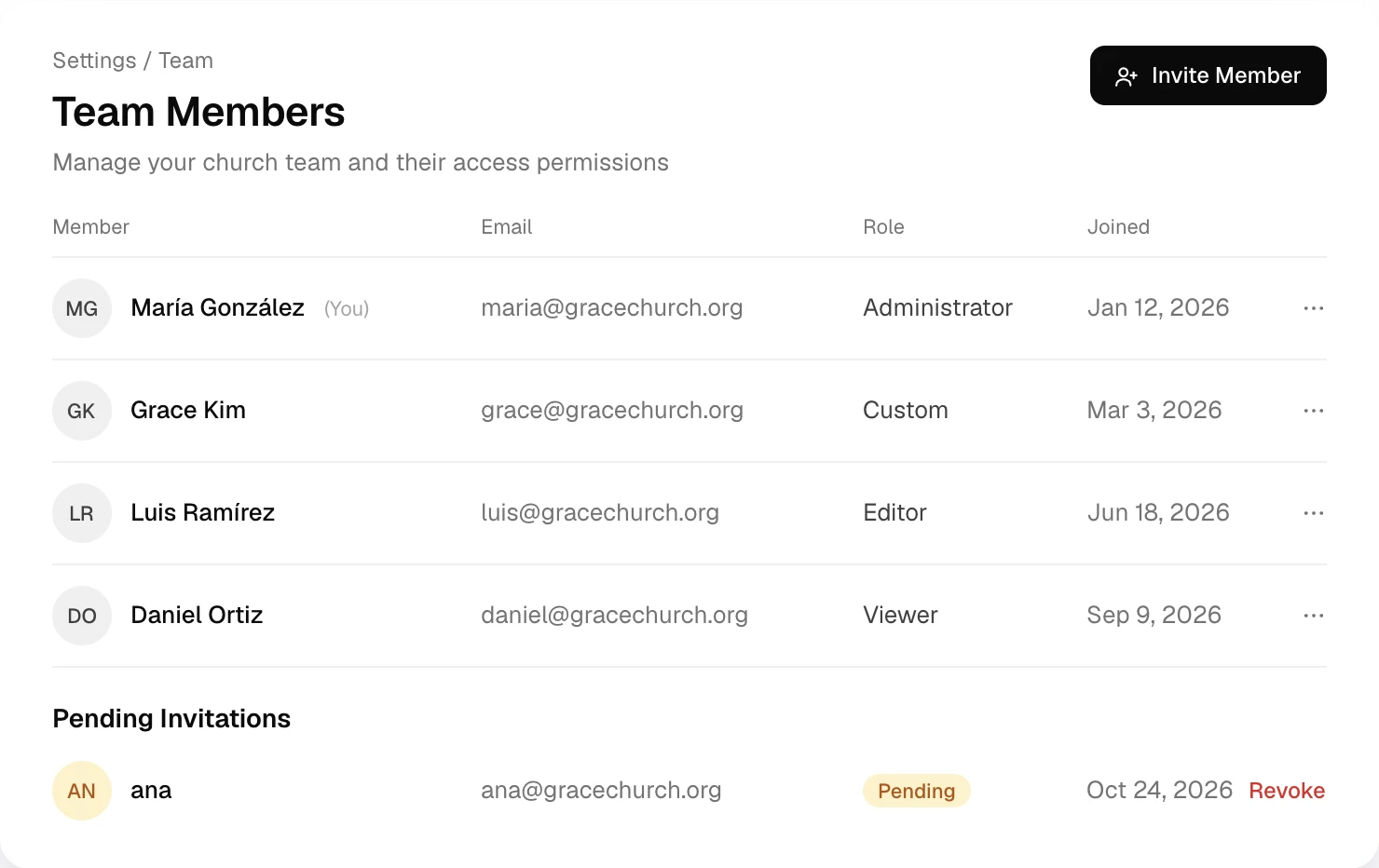
Invite your treasurer, pastor and volunteers. Each person gets the pages you choose, to view or to edit.
Before and after
What a real team takes off your plate.
| The old way | With Altarflow |
|---|---|
| 01The old way: One shared login passed around the office | With Altarflow: Each person signs in as themselves |
| 02The old way: The volunteer who logs receipts can open the bank balances | With Altarflow: Each person sees only the pages you give them |
| 03The old way: Changing the password every time someone leaves | With Altarflow: Remove one person and only their access ends |
| 04The old way: The pastor asks you to forward every report | With Altarflow: View Only on the pages the pastor wants to see |
Roles
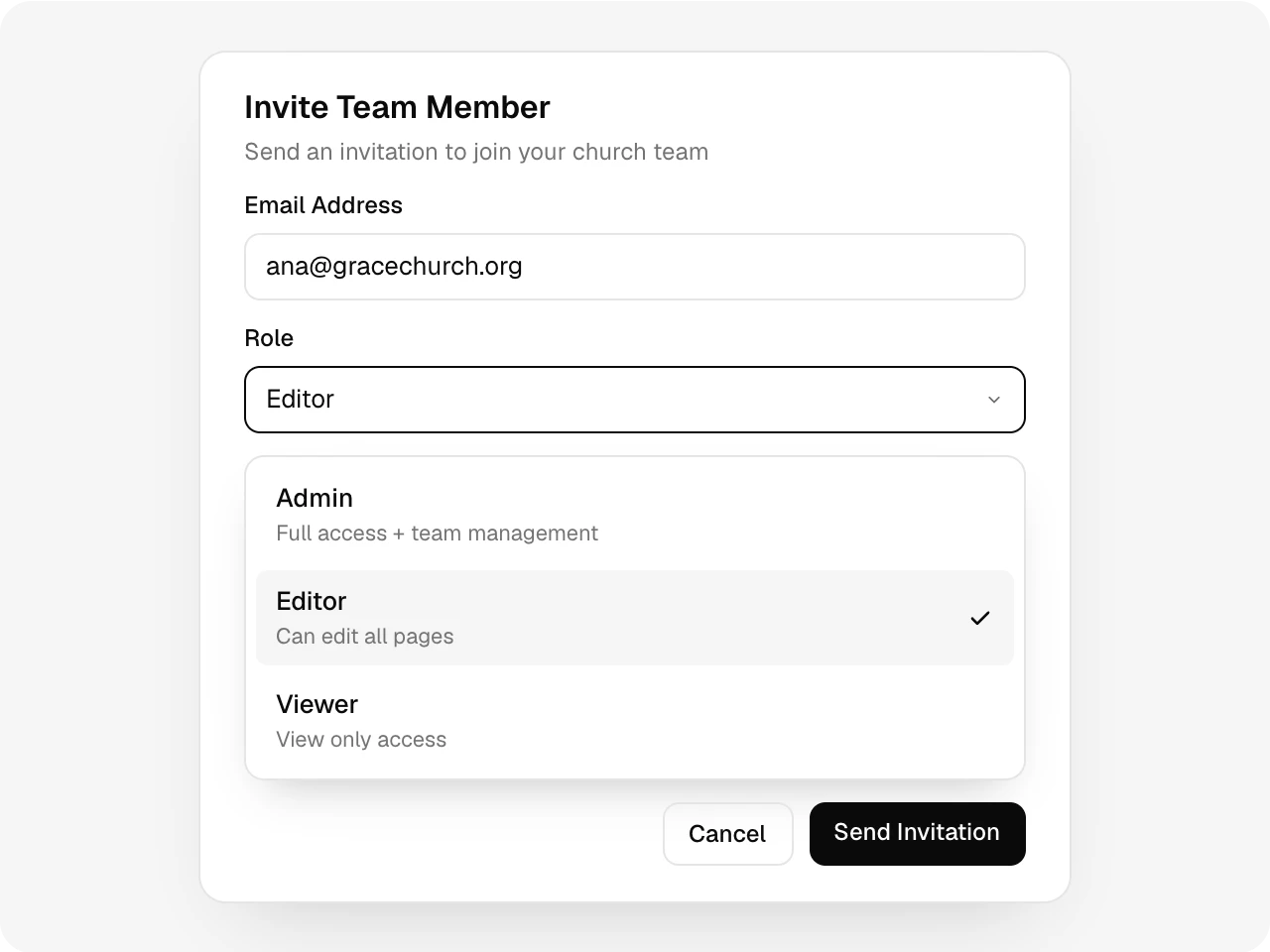
Invite by email, pick a role.
Admins run the team. Editors can edit every page. Viewers can look and change nothing. The invite arrives by email and waits under Pending Invitations until it is accepted.
Page permissions
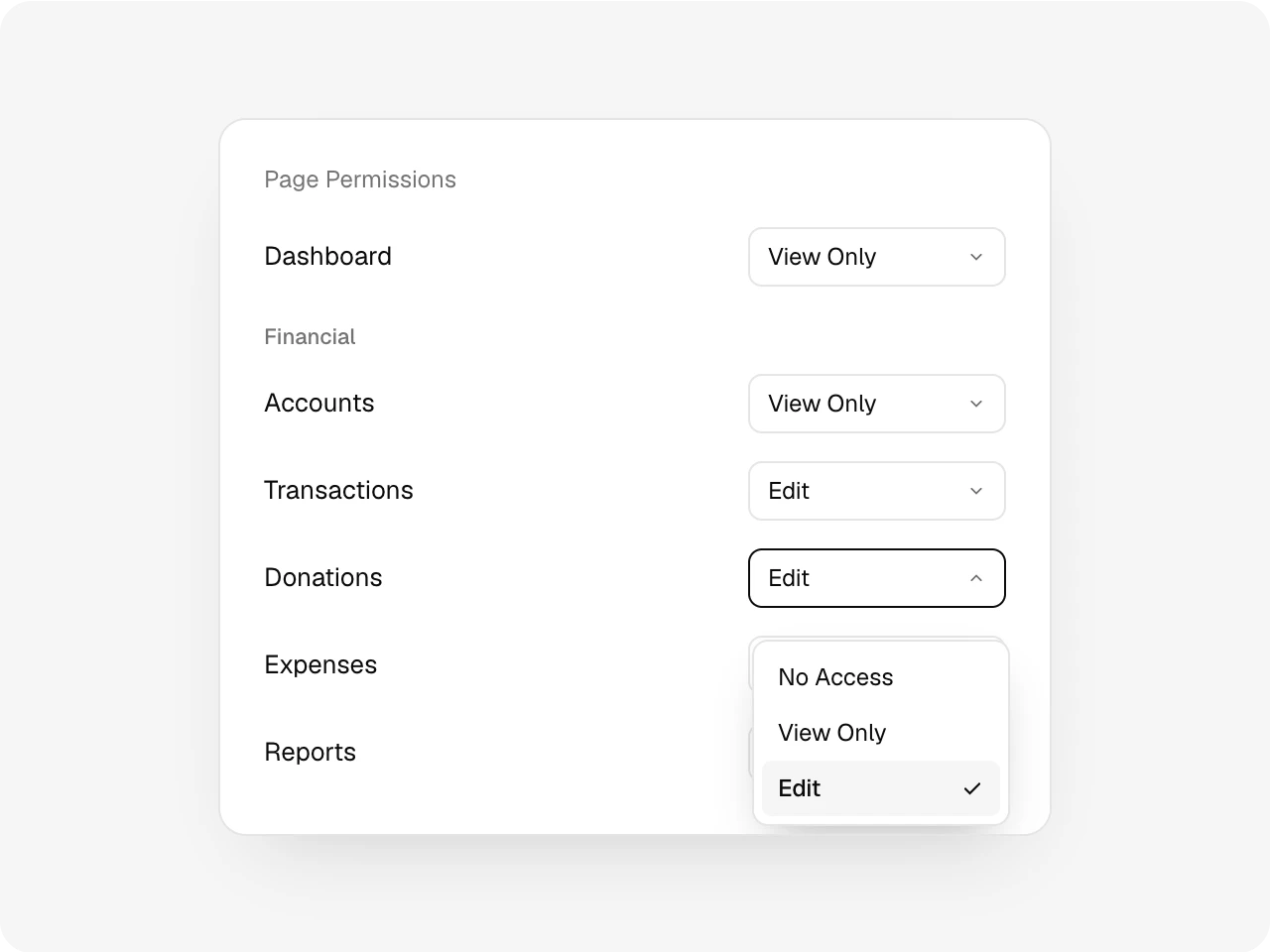
View or edit, page by page.
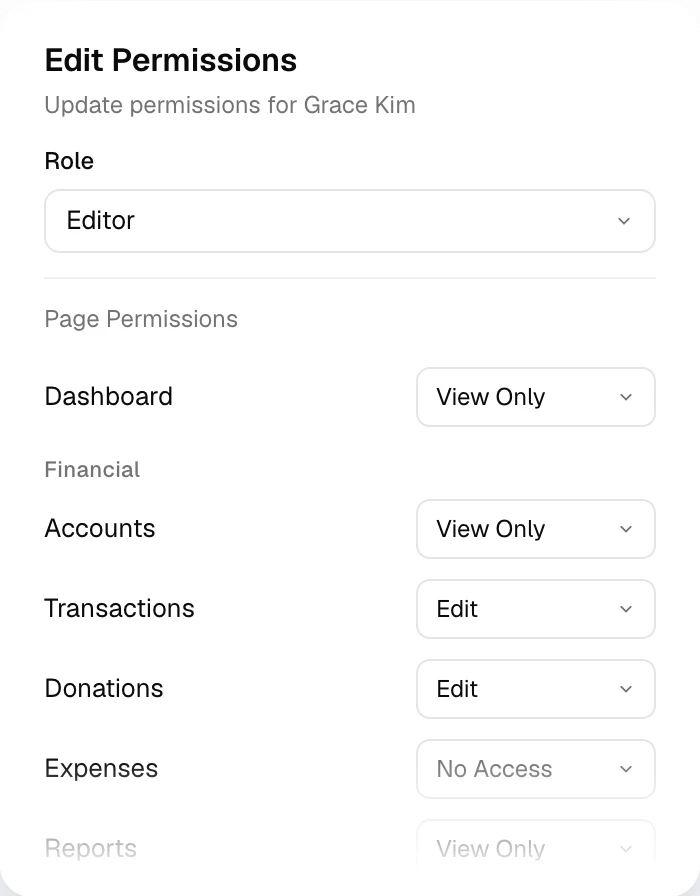
Set No Access, View Only or Edit on each page, in the same order as your menu. A page set to No Access leaves that person’s menu.
Enforced
Locked on the server, not just the menu.
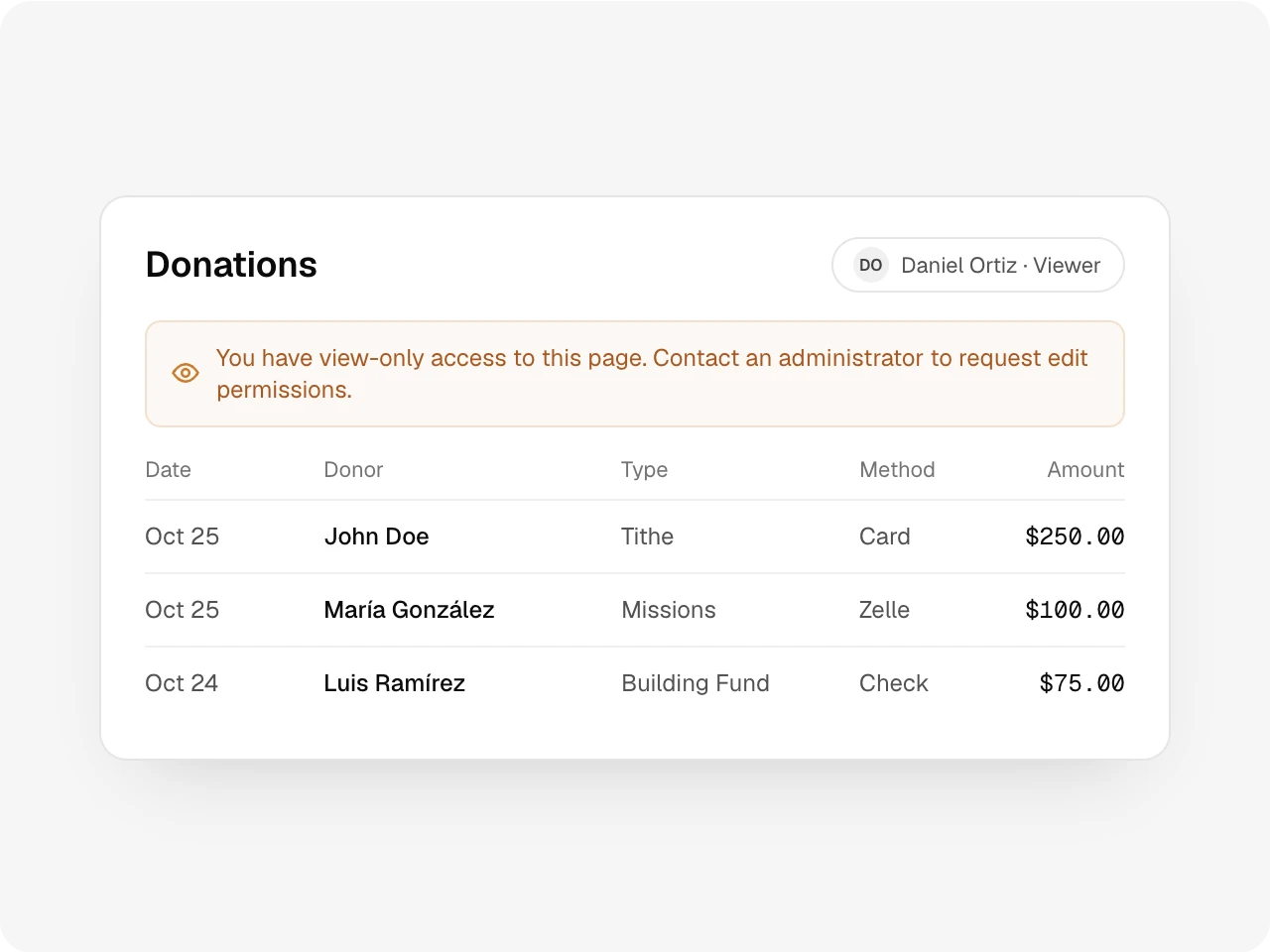
Staff pages and actions check the person’s access on the server before they answer. Someone with View Only sees a note at the top of the page that says so.
Seats
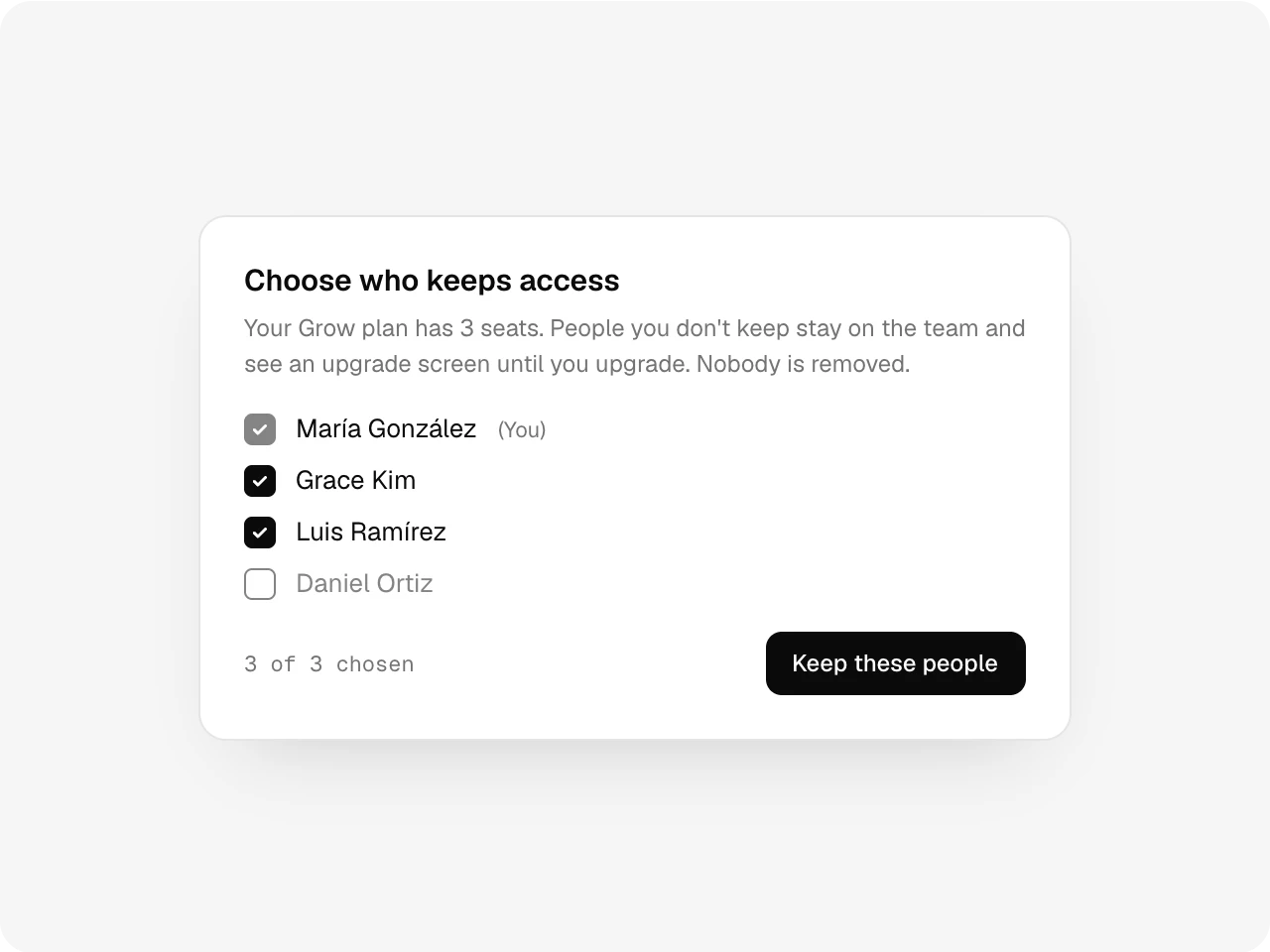
Move to a smaller plan. Nobody is removed.
Each plan has a set number of seats, and a pending invitation holds one too. On a smaller plan you choose who keeps access. The rest stay on the team until a seat opens.
Also included
More than one admin, a last admin who can never be removed, one login for every church a person serves, and automatic sign-out after 30 minutes idle in the browser.
One record
Works with the rest of Altarflow.
- Approvals
Approvals
Turn on approvals and new expenses wait for an admin to sign off.
- Donor CRM
Donor CRM
Donor records follow the Donations permission, so giving stays with the people you choose.
- Ask Altarflow
Ask Altarflow
Questions about the church’s money are open to admins only.
Plans
Teams start on Grow.
Seed
$0
- 1 seat, for the person who signs up
- Roles and page permissions included
- Pending invitations count as seats
Grow
$49.99/mo
- 3 seats
- Invite a treasurer and a pastor
Bloom
$99.99/mo
- 20 seats
Every plan includes roles, page permissions and server checks. For your team, plans differ only in seats.
How do team permissions work in Altarflow?
Altarflow lets a church invite its treasurer, pastor and volunteers as separate users. Each person gets an Admin, Editor or Viewer role, and each page can be set to No Access, View Only or Edit. Access is checked on the server, not just hidden in the menu. Seed includes 1 seat, Grow 3 and Bloom 20.
Does a pending invitation use a seat?
Yes. An invitation holds a seat until it is accepted or revoked. Revoke one to free the seat.
What happens to the team on a smaller plan?
Nobody is removed. You choose who keeps access. Everyone else stays on the team and sees an upgrade screen until a seat opens.
Can one person help two churches?
Yes. They accept the second invitation with the same email and switch churches from the account menu. Each church sets its own permissions.
Can we have more than one admin?
Yes. Make anyone an admin. The last admin cannot be removed, so the church never loses its keys.
Many hands, one ledger.
Setup takes one sitting. Hablamos español.