Books · Early access
Church bookkeeping, in early access: Every bank line,
booked.
Early access on Bloom. Every bank line, expense and gift gets a ledger account. The agent proposes it and you confirm.
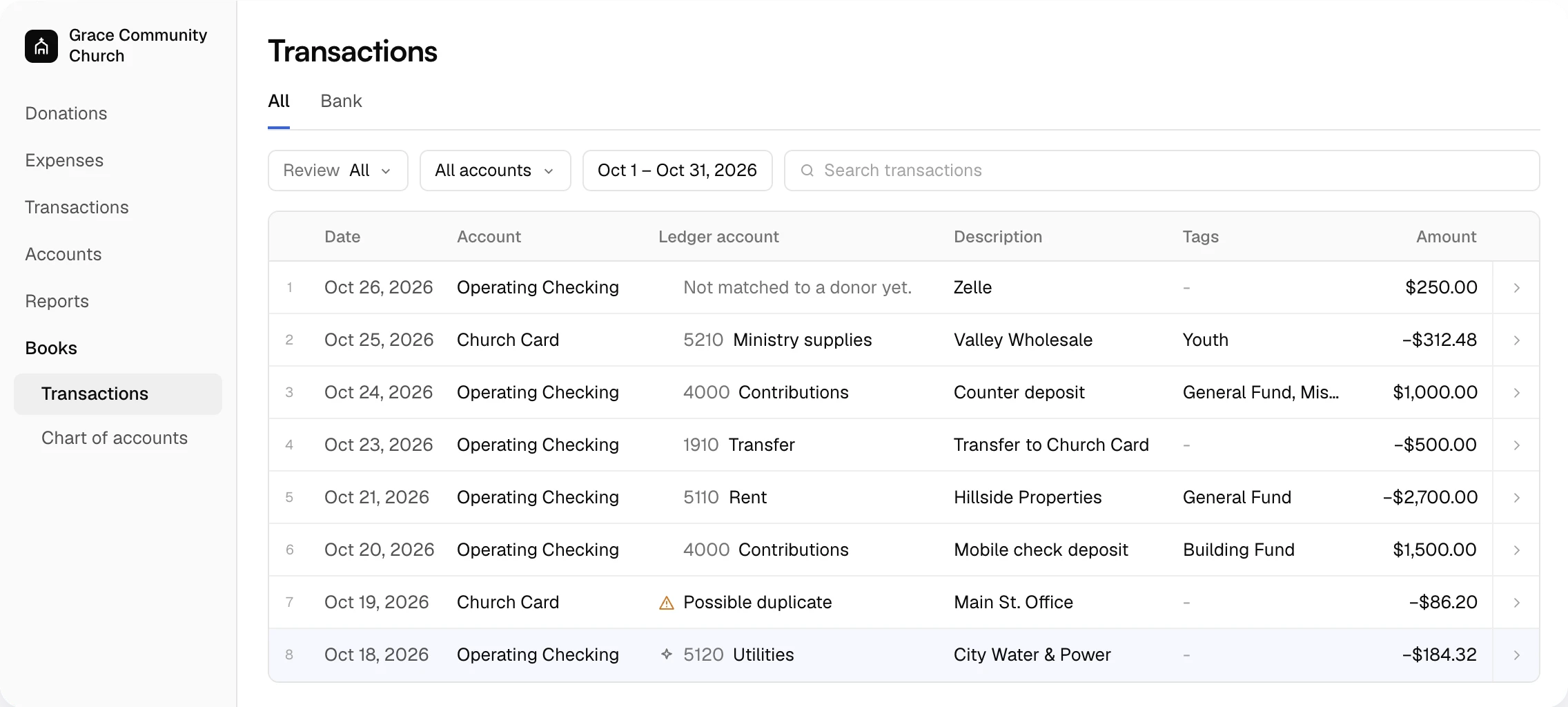
Before and after
What Books takes off your plate.
| The old way | With Altarflow |
|---|---|
| 01The old way: Typing bank lines into accounting software | With Altarflow: Bank lines arrive from the accounts you connect |
| 02The old way: Coding each line to an account by hand | With Altarflow: The agent proposes a ledger account and says why |
| 03The old way: Building a chart of accounts from scratch | With Altarflow: The chart builds itself from your accounts and categories |
| 04The old way: Two records of the same money drifting apart | With Altarflow: Gifts, expenses and bank lines share one table, once each |
Review
The agent proposes. You book.
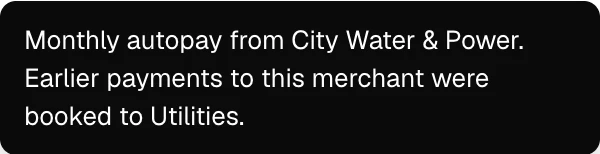
Every line is Waiting, Proposed or Booked. A proposed line carries the agent’s ledger account and its reason. Keep it, or pick another account in one click.
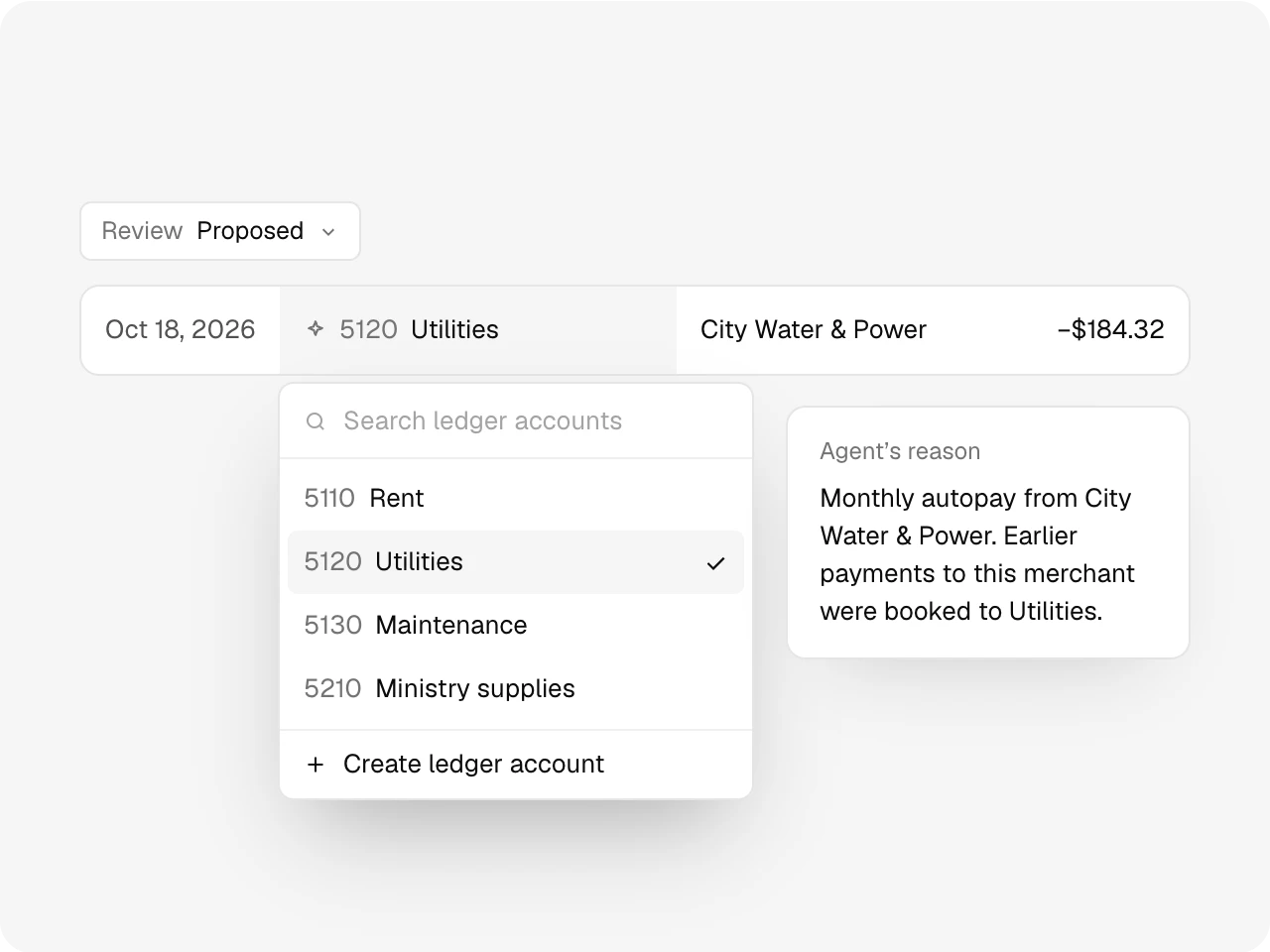
Chart of accounts
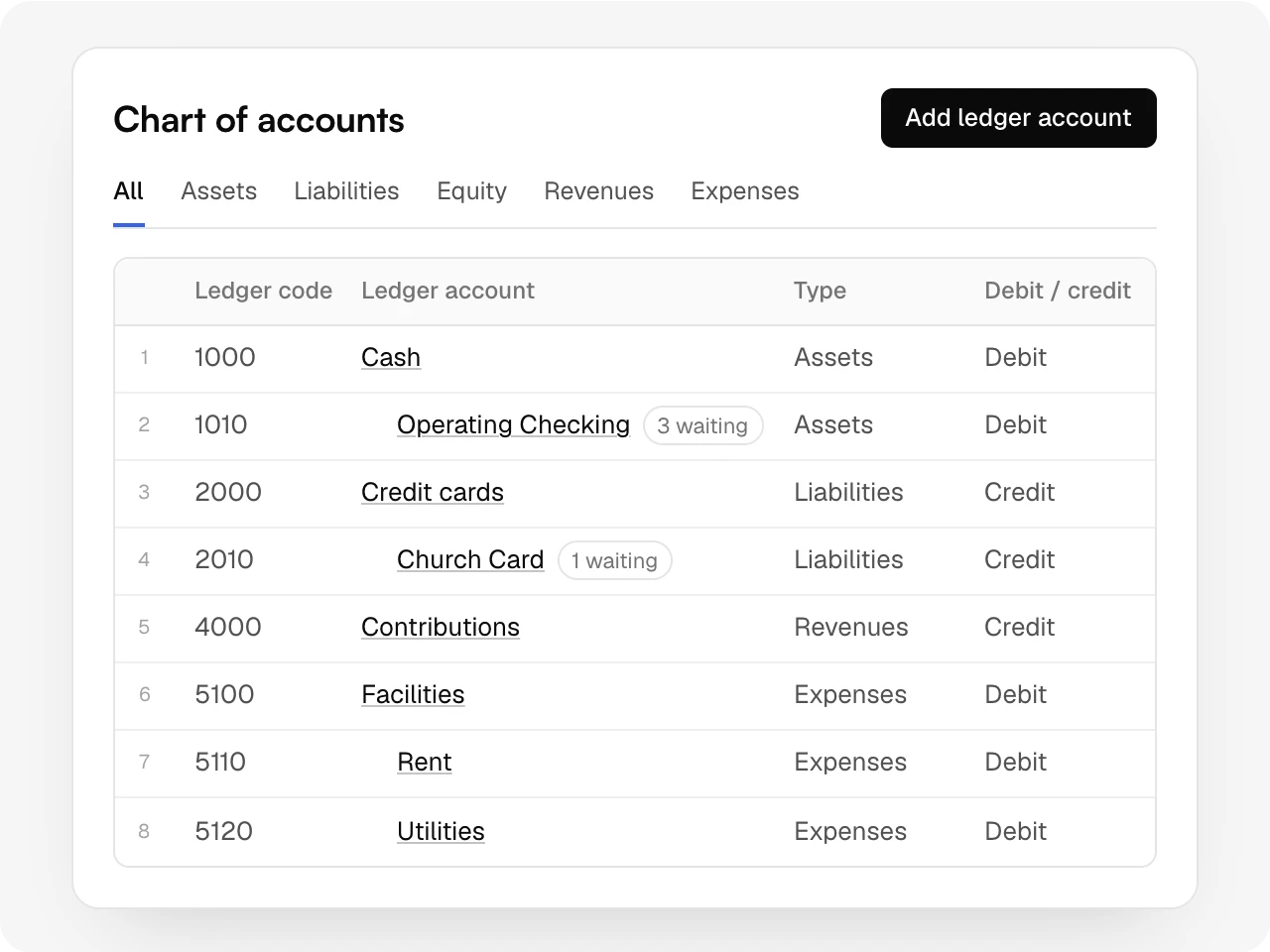
A chart that builds itself.
Bank accounts, cards and expense categories become ledger accounts with codes, and each type sets debit or credit. Add, rename or archive accounts as the church changes.
One table
Every movement, shown once.
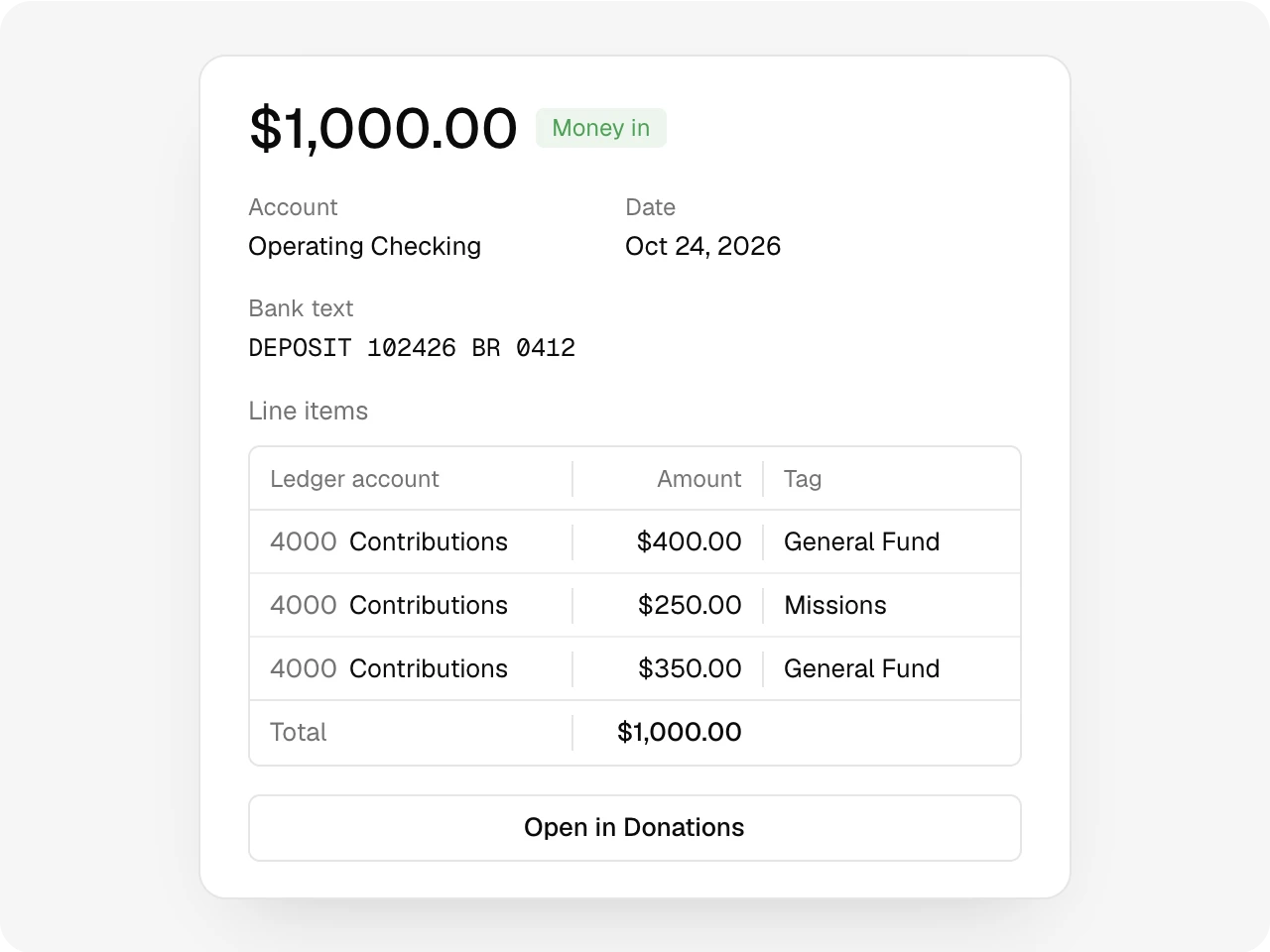
A bank line that became gifts or an expense shows through that record, so nothing counts twice. A Monday deposit opens into the gifts inside it, each with its fund.
Bulk edit
Many lines, one decision.
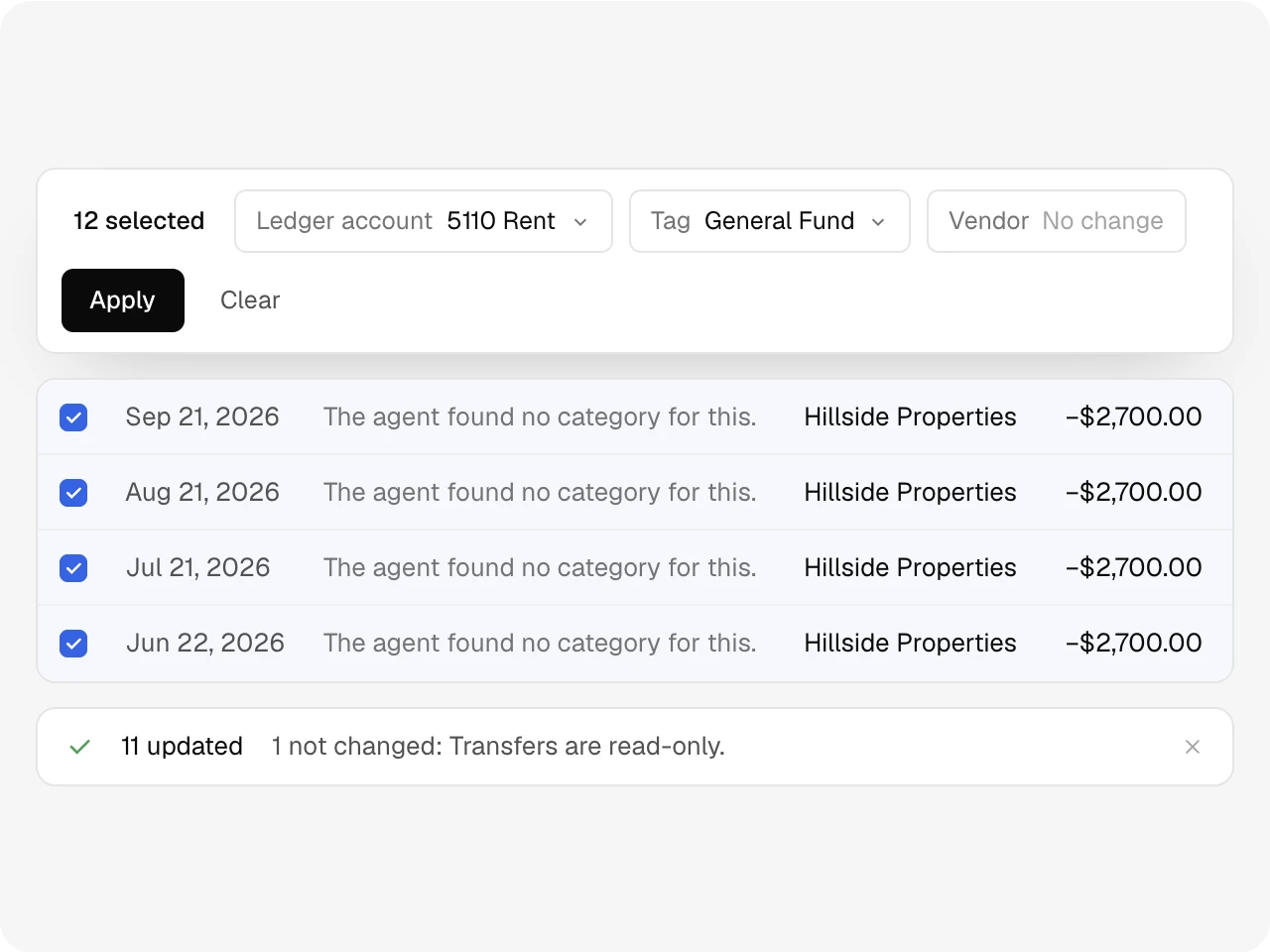
Select rows, choose a ledger account, tag or vendor, and apply once. Books reports what changed and why anything was left alone.
Reconciliation
Next, the statement reconciles itself.
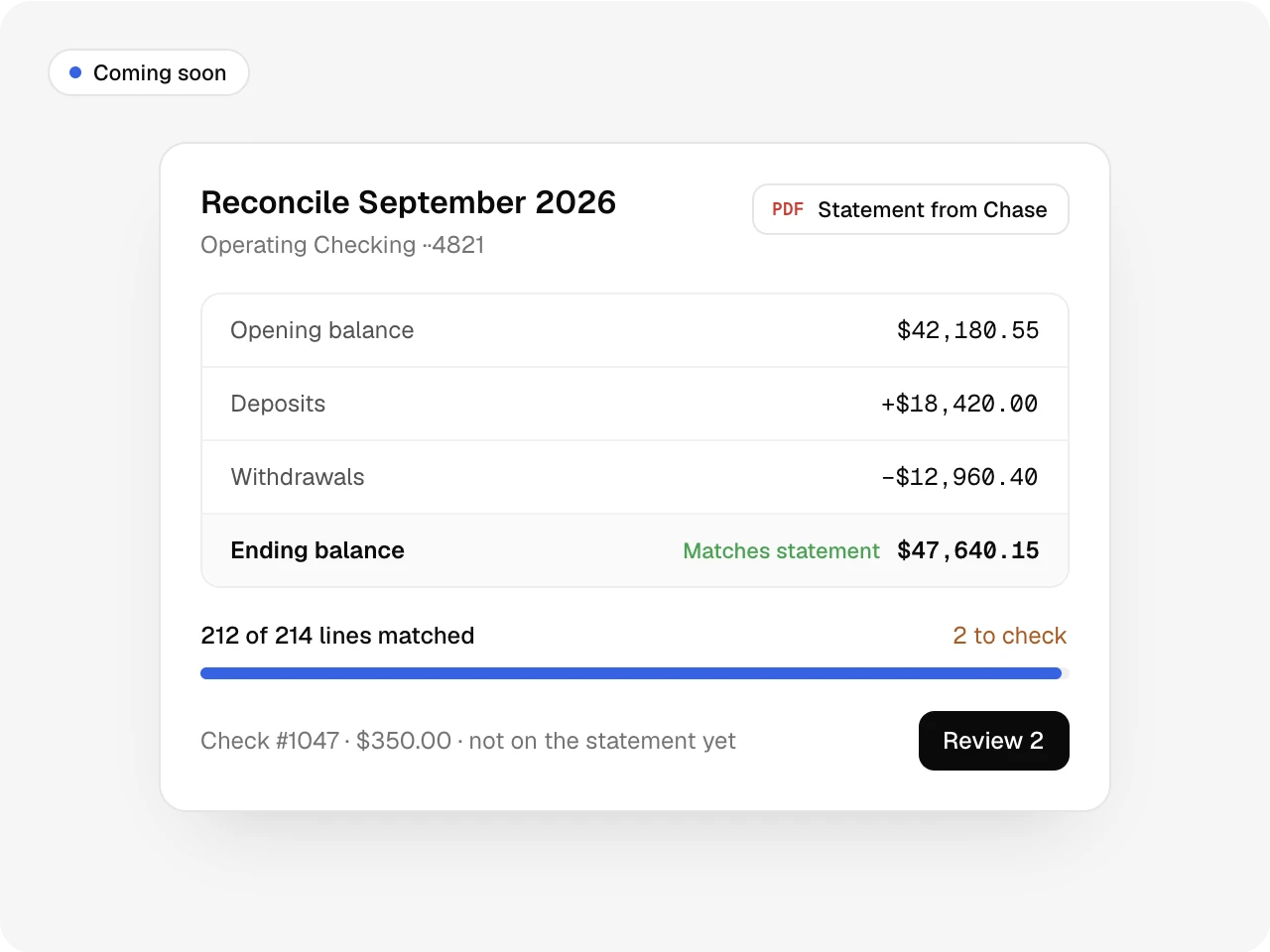
Next, Altarflow will pull each month’s bank statement and start reconciling from the lines it already has. You’ll check the few that don’t match and sign off.
Also included
Search, review and account filters, a date range, a Bank tab for bank lines alone, possible-duplicate warnings, read-only transfers, vendor names from the merchant, and account names in English or Spanish.
One record
Works with the rest of Altarflow.
- Transactions
Transactions
The agent drafts each bank line into a gift or an expense for you to approve.
- Accounts
Accounts
Each bank account and card in Accounts gets its own ledger account in the chart.
- Expenses
Expenses
Expense categories and their groups become the expense side of the chart.
Compare:vs QuickBooks
Plans
Books is in early access on Bloom.
Seed
$0
- Not included
Grow
$49.99/mo
- Not included
Bloom
$99.99/mo
- Books, early access
Early access means we turn Books on for Bloom churches one at a time while we finish it.
What is Altarflow Books?
Altarflow Books, in early access on the Bloom plan, gives every bank line, expense and gift a ledger account. An AI agent proposes the account and explains why; a person keeps it or picks another. The chart of accounts builds itself from your bank accounts and expense categories. Bank statement reconciliation and a journal are still being built.
Can we use Books today?
Books is in early access. It comes with Bloom, and we turn it on for churches one at a time. Ask us on a call if you want in.
Does it replace our accounting software?
Not yet. Today Books shows every transaction with its ledger account and keeps your chart of accounts. A journal, reconciliation and a closing date are still being built.
Can I change what the agent proposed?
Yes, for money out. Pick another account, or create one from the same list. Deposits booked as gifts are edited in Donations.
Who on our team can see Books?
Admins, and anyone you give the Books permission. It stays hidden for everyone else.
Every bank line,
booked.
Setup takes one sitting. Hablamos español.